
Skip to content

Free Carrier Unlock: Learn to Unlock a Phone to any Network!

Unlock Any Device in Minutes!

Unlock any device in minutes with SafeUnlocks' powerful online service—fast, reliable, and accessible from anywhere. Whether you need a carrier unlock or bypass for Android, iPhone, or any other device, we've got you covered. Our process is 100% online, hassle-free, and works with all major carriers. Best of all, it only costs $2 to get started. Don't wait—regain full control of your device today with SafeUnlocks!

Fast & Reliable
100% Online Process
Only $2 to Get Started
Start Unlock Now

If you want to free your mobile phone to be able to use SIM cards from any network provider without restrictions or limitations, but don't meet the carrier's requirements, SafeUnlocks has the perfect solution for you. Here we'll tell you all about our 100% online and free carrier unlock service, including its advantages, how to use it, and what to do if the phone also has an IMEI report; keep reading!

100% Online & Free Carrier Unlock Service

What does it mean when a Phone is Locked to its Carrier?
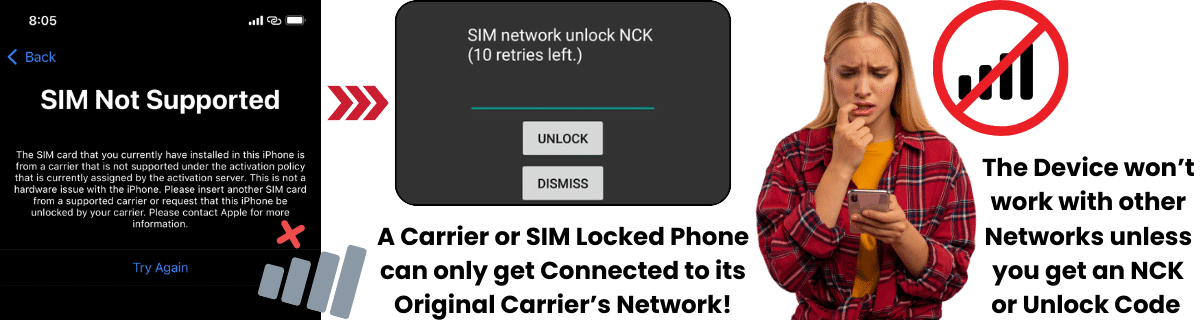
What does it mean when a Phone is Locked to its Carrier?

When a phone is locked to a carrier, it means that the device is restricted to work only with one specific mobile carrier and will work exclusively with that single network. This is often because the carrier has subsidized the phone’s cost in exchange for the customer committing to their services for a certain period, usually through a contract or installment plan. When this lock is active, the phone cannot be used with any SIM card from another carrier until it is unlocked (if not, the device won’t access other networks’ services, such as calls, texts, or data).

This lock is implemented using software and is intended to ensure that customers fulfill their contractual obligations, helping carriers recoup their investment in the subsidized device. However, at SafeUnlocks, we firmly believe that you, as the legitimate owner and end user of the phone, should have full access to your device’s full potential. That’s why we’ll explain here all there is to know to unlock any phone free of charge, why you definitely should run that quick procedure to free your device, and how SafeUnlocks’ online service can help.
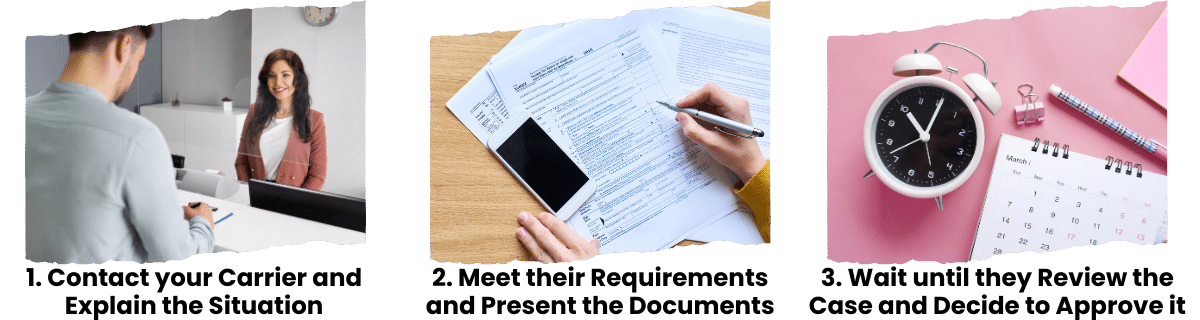
When a phone is locked to a carrier, it means that the device is restricted to work only with one specific mobile carrier and will work exclusively with that single network. This is often because the carrier has subsidized the phone’s cost in exchange for the customer committing to their services for a certain period, usually through a contract or installment plan. When this lock is active, the phone cannot be used with any SIM card from another carrier until it is unlocked (if not, the device won’t access other networks’ services, such as calls, texts, or data).

This lock is implemented using software and is intended to ensure that customers fulfill their contractual obligations, helping carriers recoup their investment in the subsidized device. However, at SafeUnlocks, we firmly believe that you, as the legitimate owner and end user of the phone, should have full access to your device’s full potential. That’s why we’ll explain here all there is to know to unlock any phone free of charge, why you definitely should run that quick procedure to free your device, and how SafeUnlocks’ online service can help.

Top 3 Reasons why you need to Network Unlock your Phone right now

Removing the carrier's restriction on your mobile phone so that it can operate with other network providers brings a lot of advantages. The thing is that, as the device won't be linked to a specific carrier, you'll have complete freedom to use its full connectivity potential. Let's see the three main advantages or benefits that come with a network unlock for you to improve your mobile experience today!

Unlock your phone's full connectivity potential

Top 3 Reasons why you need to Network Unlock your Phone right now
šŸ’°

An Unlocked Phone has a higher Resell Value!

One of the principal benefits that encourages people to remove the network lock is that a locked phone doesn't have the same resale value as an unlocked one. This means that if at any point you decide to sell your used device, it will not only get sold faster but for a better price (because nobody wants to buy a second-hand smartphone that only works with a single carrier).

Sells faster & for better price

šŸŒ

An Unlocked Phone can be used Worldwide!

Freeing your handset from its original carrier's lock opens the doors to an international mobile experience, so if you do unlock it, you'll get to use your device abroad without having to pay expensive roaming charges. Also, if you move to another country, getting another phone there won't be necessary because you'll get to use a local SIM on your current machine without a problem.

No expensive roaming charges

šŸ“

An Unlocked Phone gives you the Freedom to use any Network!

The most obvious benefit is that this process allows you to switch carriers and take advantage of any offer or promotional plan, no matter if it's from another telecom provider. This will give you the advantage of freely choosing the company that better meets your needs while still saving money and, in general, using your cellular device as you want (as it should be).

Choose any carrier & save money

Network Guide to Unlocking Policy: How can I unlock my Phone for Free?
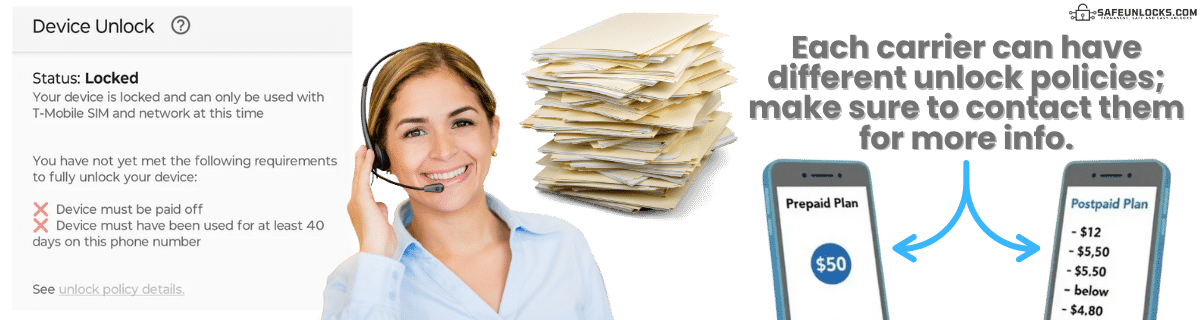
Network Guide to Unlocking Policy: How can I unlock my Phone for Free?

As we mentioned before, there is the option of contacting your carrier and asking them to unlock your mobile device. For that, you need to go to your carrier’s official website and look up the information they have posted about their SIM unlock policies and procedures. In most cases, they have their requirements listed per type of plan (prepaid and postpaid), along with the steps to get in touch and place your unlock request directly with their customer support team.

Of course, both the steps and policies vary among carriers in the US (and other countries), but in general, you need to check out their unlock conditions, prepare the required documents, and submit your request. Right after that, the company will determine whether they will give you approval and get your phone unlocked or not, which can take up to two weeks, depending on each specific case. Let’s see together the most commonly required policies for users who want to unlock their smartphones, but remember that if you don’t meet them or don’t want to wait that long, SafeUnlocks can always help!
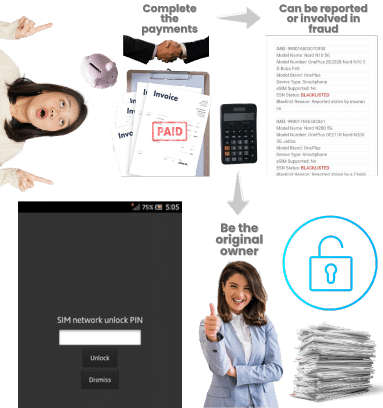
Principal Requirements to Unlock your Phone for Free with your Carrier

šŸ‘¤
You must be the device's original owner.
šŸ¤
You must be on good terms with the company.
šŸ’³
If you financed the phone on an installment plan, it must be paid off.
šŸ“…
You must have met the minimum period of active service, normally of one year.
šŸ›”ļø
The device cannot be reported or associated with illegal or fraudulent activity.

Meet all 5 requirements for free carrier unlock eligibility

Principal Requirements to Unlock your Phone for Free with your Carrier

Free Carrier Unlock with the Phone’s current Carrier vs. with SafeUnlocks

Even though both ways to unlock a phone from a carrier are pretty similar in terms of effectiveness, there are important differences that you should keep in mind before deciding which one you want to go for. For example, your service provider will definitely help you out, but as they want to protect their business interests (keeping their users tied to their network), they’ll ask for lots of requirements and put a lot of conditions.

Also, there are some mobile carriers like Tracfone that, as clarified in their unlocking compliance, will charge you up to $300 for the SIM unlock service if you don’t meet their criteria. All in all, this really depends on whether you meet the carrier’s conditions or not, and if you don’t, there’s always the option of using a third party like SafeUnlocks to unlock your iPhone or Android device without any requirements, unlock fees, or minimum periods of active service.

How can I unlock my Mobile Phone to any Network Myself

How can I unlock my Mobile Phone to any Network Myself?

The best way to do this is using SafeUnlocks, which allows you to unlock your mobile phone without needing to go through your carrier, all through advanced technology that guarantees safe and effective results. Now, it is fair to mention that if you want to unlock your phone with us, you'll need to pay a $2 fee, but don't worry, because that's a one-time charge that covers the whole process; there are no hidden fees!

Advanced Technology

Safe & Effective

No Hidden Fees

One-time $2 fee covers everything!

Start Unlocking Now

Is it Legal to Unlock My Phone without the Carrier’s Approval?

Sure, getting rid of the SIM lock is perfectly legal regardless of whether you meet the provider’s requirements and proceed with their official SIM-unlocking process or not. As long as you are the legitimate device owner, it doesn’t really matter if the carrier approves or not because, at the end of the day, all users are allowed to use their property as they want.

However, we do recommend that you use reliable services like SafeUnlocks, which only requires you to provide the device’s IMEI and insert a SIM card from another carrier after the process (for you to test the phone). As you probably know, unauthorized or dubious unlocking methods can come with risks, such as voiding your warranty, introducing malware, or jeopardizing your phone’s functionality. SafeUnlocks ensures that the unlocking process is secure, non-invasive, and compliant with legal guidelines, so you can confidently unlock your phone without running into issues.

šŸ’ø

Is there any Option to Unlock my Phone for Free?

Sure, there are definitely options to unlock your device from its network for free; however, those methods are not guaranteed and often involve risky procedures like rooting (for Android) or jailbreaking (for iOS). SafeUnlocks, on the other hand, offers a non-invasive and safe option that is still incredibly affordable compared with other platforms that charge up to $25 for the same service.

Safe & Affordable vs Risky Free Methods

šŸ”„

Can I Unlock a Used Device from Its Carrier Restrictions?

The majority of users who look for an alternative phone unlocking service are those who purchased a phone from someone else, of course, without noticing that it was locked to its current carrier. However, at SafeUnlocks, we believe you have the right to unlock your smartphone and use it with new networks without restrictions, even if we're talking about a second-hand device and you're not its original owner, so yes, you can!

Yes! Even for Second-Hand Devices

How do I Obtain an Unlock Code to fix my Phone with SafeUnlocks?
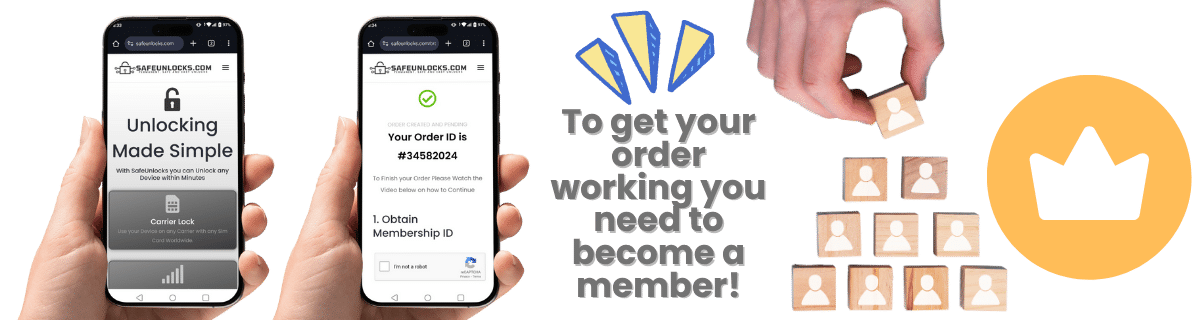
How do I Obtain an Unlock Code to fix my Phone with SafeUnlocks?

The process with us is very similar to what happens with the carrier in the sense that we use a very similar method; in fact, we count on different software, protocols, and special algorithms for a safe and effective unlock. In addition, the only thing you need for our unlocking process is the IMEI number of the smartphone (Samsung, iPhone, Xiaomi, etc.) that you’ll free from its network carrier!
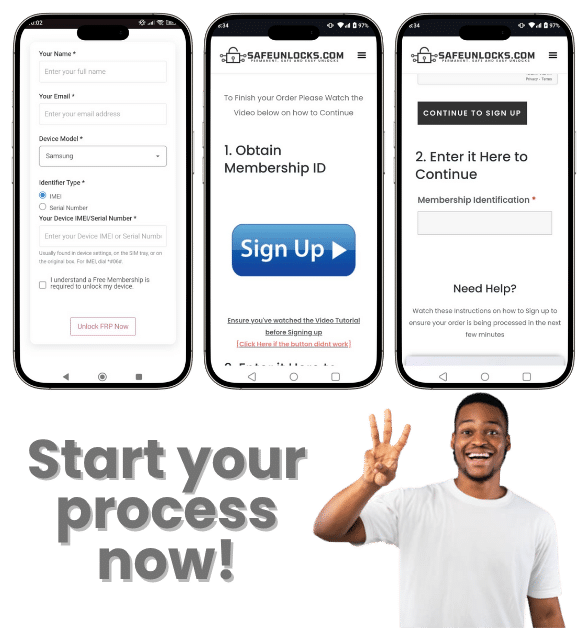
Learn how to Unlock your iOS or Android Phone Here!

1
Fill out the network-unlocking form

Fill out the network-unlocking form that appears on SafeUnlocks.com.

2
Enter the required information

Enter the required pieces of information:

Your name.
Your email address.
The brand of your phone.
3
Create your account

Create your account if it's the first time you're using our services.

4
Make the $1 payment

Make the $1 payment.

5
Download and enter your unlocking code

Download and enter your phone unlocking code.

Remember that SafeUnlocks' service counts on high compatibility and works with phones SIM locked to any carrier's network, like AT&T, T-Mobile, Verizon, and others. Also, you won't have issues with the manufacturer or specific handset model because we support all brands and references.

Learn how to Unlock your iOS or Android Phone Here 1

How to compare carrier / SIM lock

If a phone refuses every SIM except the original brand, you are looking at a carrier lock. carrier / SIM lock pages on SafeUnlocks compare how that release is usually requested, what documents operators ask for, and which listing details matter before you pay anyone.

The first comparison point is the official desk: the original operator or maker. Ask whether the account is in good standing, whether a waiting period applies, and whether the requester must be the account holder. Shops you compare later should be measured against that 2026 policy, not the other way around.

Three artifacts stop most wasted orders: the IMEI, the on-screen lock wording, and account-holder proof. For carrier / SIM lock, skip any checkout that will not say which of those it needs. Use /random-imei-generator-online only to understand IMEI length and checksum shape.

Read ā€œFree Carrier Unlock: Learn to Unlock a Phone to any Network!ā€ as a briefing. SafeUnlocks recommends and compares. Any paid work happens off this site with the party you choose after you have the lock type and the official rules in hand.

Use this page in three passes: confirm the lock type matches carrier / SIM lock, read the official path, then open the related carrier unlock guides for the same family. Internal links on this URL are there so you stay inside the right lock bucket instead of bouncing to a random how-to.

Keep four buckets separate while you read about carrier / SIM lock: carrier SIM lock, iCloud or Google account lock, PUK on the card, and IMEI blacklist. This URL is filed under carrier. If the on-screen text belongs in another bucket, switch to that hub instead of forcing this page to answer it.

If a carrier / SIM lock ad uses ā€œleading providerā€ language and hides the operator policy, score it down. Comparison means you can place that listing next to the official desk and see the gap.

Keep a dated note of when you asked carrier / SIM lock to be reviewed. That stamp is more useful than a marketing countdown. SafeUnlocks will not invent a publish date or a turnaround to make the page look fresher.

An unpaid balance, lease, or insurance claim can block carrier / SIM lock even when the hardware is in your hands. That hold is a billing or police record, not a missing unlock code. Comparison copy that skips finance status is incomplete.

If this briefing and the older body copy disagree on tone, trust the lock-type split and the official-desk rule. carrier / SIM lock should still be compared, not purchased as a mystery SKU from a banner.