
In SafeUnlocks, we want to help our users find the best solutions to fix their SIM-locked devices, which is why we have prepared the perfect guide to unlock Vodafone UK just in case you need it. Keep reading because you’ll find here not only a detailed step-by-step guide to get your phone’s unlock code directly with Vodafone but also, the perfect solution in case you’re not eligible for that. Check out the information here and unlock your device’s full potential today!
Step by Step Guide to get your Unlock Code with Vodafone UK
There’s an online form on Vodafone’s website that you can fill out to check whether you’re eligible to unlock your phone directly with them or not, and request it in case you are. All you have to do is go to Vodafone UK >> forms >> unlock code request, and once you’re there, scroll a little bit down and start entering the answers that correspond to your case.
As you can see in this picture, you’ll be asked whether the device was registered under a personal or business account, which is very important because different unlock policies apply to them. Also, you will be asked to confirm that you bought the phone directly from Vodafone because they can only unlock smartphones sold in their official stores. It’s worth clarifying that if you purchased the device from another network provider in the UK, you’ll need to call them to get it unlocked.
You’ll notice that there’s also a section where you need to clarify whether you own an iPhone or not, but that’s only because now, Apple devices are sold already unlocked. After that, they ask you if you already tried inserting a non-Vodafone SIM card, which is very important for you to confirm your device is definitely locked to Vodafone. Lastly, there’s an essential part where you’re asked if your smartphone is flagged as lost or stolen because blacklisted devices cannot be unlocked.
What do I do if I am Eligible for the Vodafone Network Unlock?
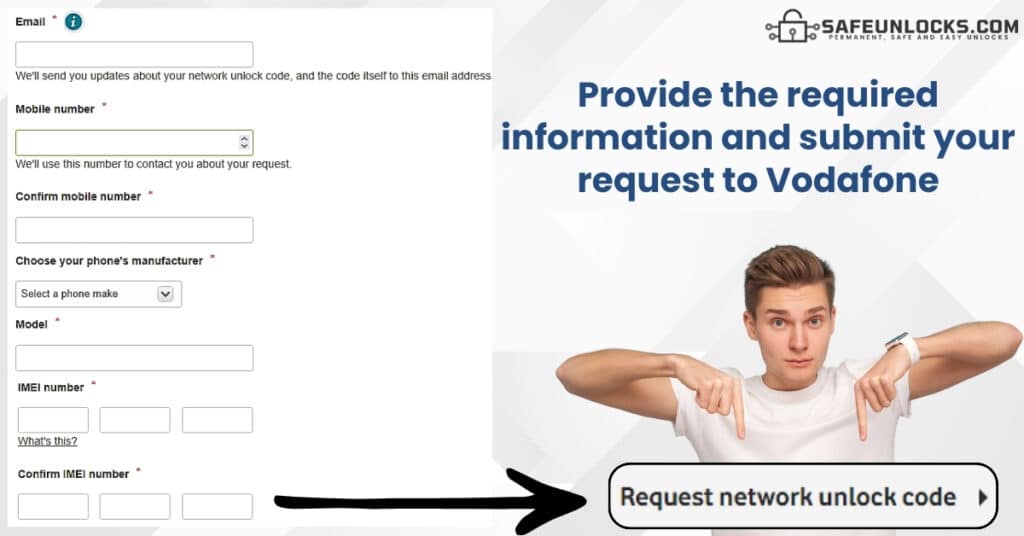
Even though filling out the form is only the first step to unlocking your smartphone with Vodafone, it is very important; in fact, the carrier will later verify things like your phone’s blacklist status. However, for that to happen, you need to provide certain information to submit your unlock request, which includes:
- Your email address.
- Your phone number.
- Your phone’s manufacturer.
- The device model.
- The device’s IMEI number.
Remember that the email and phone number provided must be the ones registered on your account because they need to locate it to determine your eligibility, but that’s pretty much it. After that, you’ll be ready to submit the request so that the help and support team can review and approve it, so just click on the button that says “Request Network Unlock Code” and wait.
Unlocking your Device with Vodafone’s Help and Support Team: FAQ
Now that you have a clearer idea of the detailed steps you need to follow to get your network-unlocking code directly with Vodafone, we’ll leave here some of the principal FAQs we receive in these types of cases. Check them out and if you have any other doubts, remember that you can always contact Vodafone‘s customer service at 0333 3040 191 or visit our informative blog to get more information on this.
What is the Vodafone NUC (Network Unlock Code) for?
We have been talking about a code Vodafone’s team generates for you when you make a SIM-lock removal request, but what is that code all about? Well, that’s kind of the password you use to open your phone’s cellular bands for it to start working with other networks like EE, O2, Three, or any other you might want to use. That’s why the company generates that code for you when you make an unlock request!
How Long does it take to get a Network Unlock Code from Vodafone?
The timeframes normally go from 72 hours to 10 business days depending on your specific case and whether they need to contact your phone manufacturer or not, but as you see, it’s very time-consuming. In fact, under certain circumstances, the process might take up to 30 days, but it’s okay because if you can’t wait, you can always use a third-party service like SafeUnlocks to get your SIM-unlocking code and that’s it.
How do I fix an iPhone locked to Vodafone?
As we mentioned before, iPhones sold by Vodafone shouldn’t come locked, but some users have reported this issue on their iOS devices, so this is something that does happen. If that’s your case, you’ll have to contact Vodafone and wait up to 30 working days for them to contact Apple and proceed with a remote unlock.
Want to Unlock your Phone without waiting for Vodafone’s Approval?
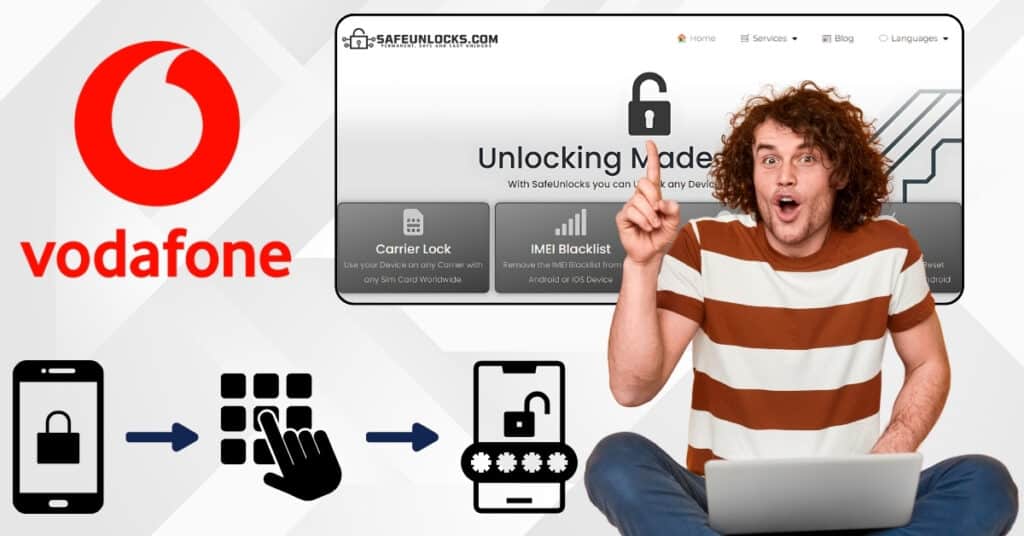
One of the greatest disadvantages of the Vodafone lock-removal process is that it’s very time-consuming, not to mention that there are tons of requirements you need to meet. That’s why SafeUnlocks has developed the perfect unlocking tool for you to use without any unlock policies or conditions (because we’re a third party), and best of all: it takes less than an hour!
How does SafeUnlocks’ Vodafone Unlock Tool work?
Our service is guaranteed and very easy to use because everything is automated; in fact, we count on the same programs and special algorithms that carriers use to generate unlock codes. All we do is take the mobile phone’s IMEI number and process the request on our remote servers, all to send you back a unique unlock code that is 100% compatible with the device.
As you see, everything is remote, processed completely online from our official website, and super safe because we never get actual access to the phone. We won’t ask you to download our program or any app on it, to make any software modifications like jailbreaking or rooting, or to give us any passwords or anything like that. We just ask for some basic order details and then help you get the code that your carrier would take days to generate because of the bureaucracy and all the policies they need to confirm are met.
Steps to get a Code to SIM Unlock your Vodafone Device Online
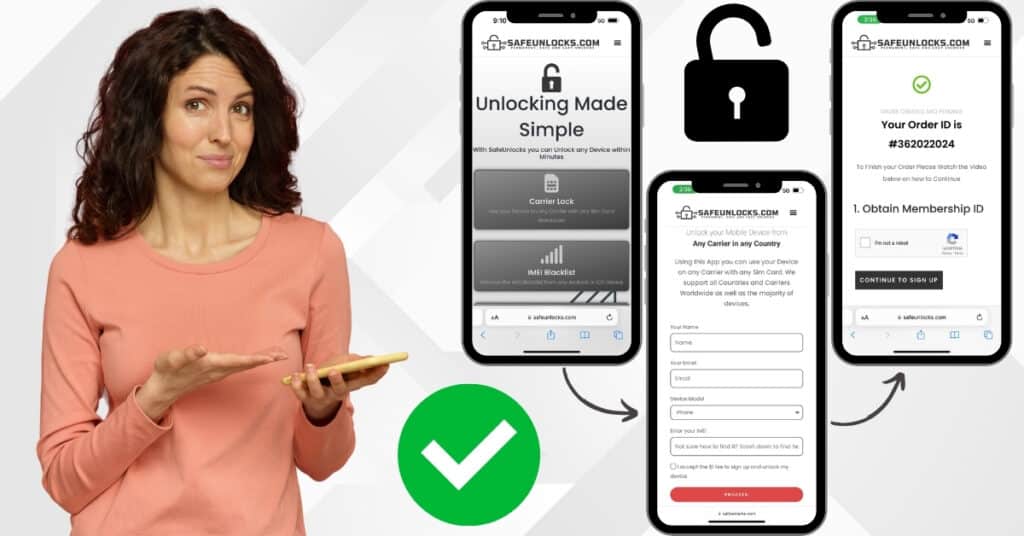
All you have to do is go to the carrier lock removal section on SafeUnlock.com, where you’ll find a quick form to fill out and submit your unlock request. The information we’ll ask there is very basic, you just have to provide us with your name, an email address, the phone brand, and the device’s IMEI number. After submitting the order, we’ll send you a confirmation email for you to activate it and will give you the steps along the way, but don’t worry, we will guide you through everything.
Do I need to get in touch with the Vodafone Support Centre?
Not at all. SafeUnlocks is a 100% external platform that is not associated with any carrier in anyhow, so you won’t need to call them or meet any of their policies (that’s why our method is so much faster). So, rest assured that with our third-party online unlocking service, you’ll get to unlock any mobile phone no matter if it’s not eligible, was bought secondhand, or whatever your situation is.
How much does it cost to Unlock a Phone from Vodafone?
SafeUnlocks‘ service is available for anyone at the very low price of $1 per phone from the Vodafone house, which doesn’t change regardless of the device’s brand, model, or operating system. You can rest assured that there are no hidden fees or anything like that, we always charge $1 per unlocked device (this also applies to smartphones from other network providers).