
Unlocking phones nowadays can be pretty complicated because carriers don’t give straight information on the matter and it’s pretty difficult to know which services to use and which not. However, you don’t have to worry about that anymore because today you’ll learn how to remove USCellular’s restriction from any phone model. So, keep reading and learn with SafeUnlocks how to network unlock US Cellular devices now!
What does it mean to have a Phone locked to USCellular?
Having a mobile device locked to its carrier, which in your case would be USCellular, refers to having the phone’s cellular bands closed so that it can only be used with that specific network. With this, carriers make sure users who bought their phones from them, stay tied to that single network for a certain timeframe, which normally goes up to a year.
How does it affect me to have my Phone locked to US Cellular?
This affects you because it means you are forbidden from switching to other providers, it takes away your right to use the service of your preference. This should not be like that because, after all, you’re the device owner and should be able to do with it as you wish. However, with this restriction, you’re not free to use other plans with better prices, more benefits, or in general, options that adapt more to your needs.
What do I do if I don’t want to use US Cellular’s Network anymore?
If you have to travel abroad and don’t want to pay for roaming fees, will move to a city out of USCellular’s coverage area, or simply want to explore other providers, you’ll need to unlock your phone. Now, there are many ways to do this, but not all options are safe, so you have to be careful when choosing your unlock method. But don’t worry because, in the following sections, we’ll dive into the top 3 guaranteed methods to carrier unlock a phone, so keep reading to learn more about each and make an informed decision!
Unlocking your Device with US Cellular: How-Tos and Policies
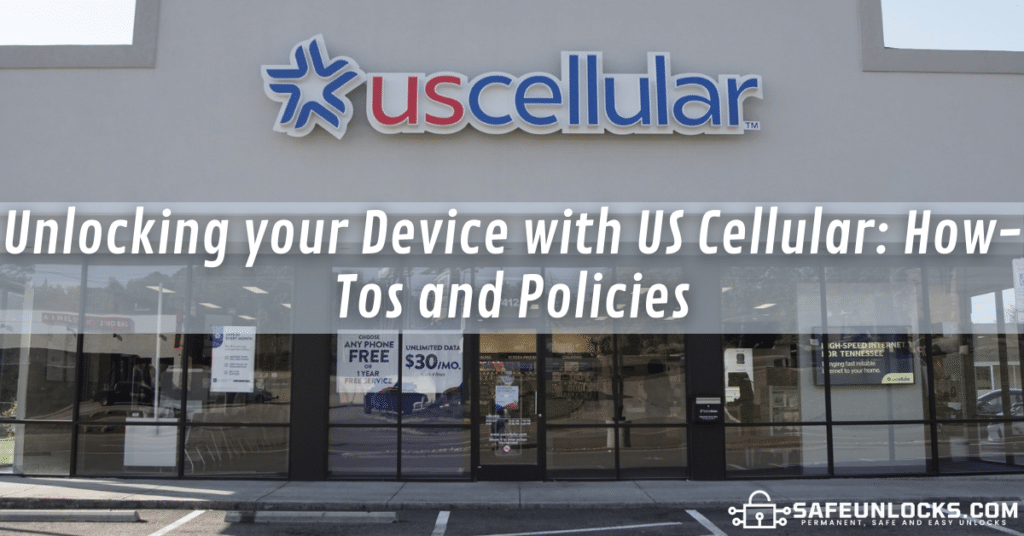
Contacting the carrier that puts the SIM lock on your iPhone or Android phone is the most common solution, and with US Cellular, all you have to do is contact them. Simply call them at 866-872-4249 or 800-819-9373 from other phones, or go directly to a store to talk to them in person and place your request. They’ll guide you through the process, but remember that there are certain requirements you have to meet to be eligible for unlocking.
What are the Unlocking Policies for Phones Locked to US Cellular?
- The phone cannot be reported as lost or stolen.
- The device must have been active for at least a year (timeframes vary).
- You must be in good standing with the carrier.
- Your smartphone cannot have any software modifications like rooting or jailbreaking.
- All the terms in your contract have to be fulfilled.
- If the mobile phone was financed on an installment plan, it has to be fully paid for.
Now, it is fair to clarify that the specific requirements for USCellular users change a lot depending on the type of contract you have and the terms specified there. However, there are certain basic conditions you’ll definitely have to meet, like the ones mentioned before. Anyway, if you want to learn more about this, you can always visit US Cellular’s Device Unlock Policy page and check the information they have available there.
Hiring a Technician to unlock your Phone: Is it a Good Idea?
There are many reasons why people look for alternatives to unlock their phones, for example, those who are traveling or moved abroad cannot complete the process with US Cellular (you have to be in the US). Also, there are a lot of cases in which users don’t meet one or more requirements and their devices are not eligible to be unlocked, or others in which people simply don’t want to wait for the carrier’s approval.
In those cases, hiring a technician can be a good idea because they are experts on the matter and can safely fix the smartphone in question. In fact, there’s a possibility you can go to an official or retail store of your phone manufacturer (Samsung, Apple, etc), and see if they can help, but that’s very rare and only authorized if you’re still covered under your warranty.
Top 3 Key Aspects to take into account when hiring a Technician:
- Reliability and Trustworthiness: The expert you hire will have full access to your smartphone, so make sure they won’t affect the device’s performance, put at risk the data stored there, or cause any damage during the process.
- Unlocking Timeframes: As you might know, you’ll have to leave the device with the technician while they fix it, so make sure to have a clear idea of how long they’ll keep your phone and have the time to take it there and pick it up.
- Pricing: Unlocking services tend to be very expensive, and more so if we’re talking about paying for an expert’s time, so it is very important to confirm the price they charge to unlock devices before accepting the service.
Unlocking a US Cellular Phone with SafeUnlocks: Best Method!
If none of the previous alternatives caught your attention, we’ll present here the perfect solution to automatically unlock US Cellular phones from carrier locks: SafeUnlocks‘ online platform. We are a third-party website that offers an innovative unlocking service, which operates 100% online and comes with lots of benefits for our users, for example:
- With us, you don’t need to meet any criteria to unlock your phone.
- You don’t have to get on the phone with US Cellular or contact them at all.
- You’ll get to unlock your US Cellular device from the comfort of your home!
- Our service counts on a 99.9% success rate, being the most reliable option on the market.
- You only need your phone’s IMEI number.
How much is it to fix a Locked Phone with SafeUnlocks?
Unlike technicians and other unlocking platforms, our service is incredibly accessible, with a price to remove network locks of any wireless carrier (AT&T, Verizon, US Cellular, etc.) for only $1. That price applies to all smartphones, no matter if we’re talking about a prepaid or postpaid device, or if you have an Android or iOS device; it’s always a single charge of $1 per phone!
How to Network Unlock US Cellular Phones to Another Carrier?
If you want to unlock your smartphone from its network provider with us, you just have to place the unlock request and follow the prompts given along the way. For that, simply go to SafeUnlocks.com >> Services >> Carrier Lock, and fill out the form on that page with your order information. That includes your name, email, the brand of the locked phone, and its IMEI number; after providing those details, simply submit the request and let us take care of the rest!
What will happen after I place my Order?
You’ll be asked to create an account with us, but only if this is the first time you use our services, if not, you’ll simply have to access your profile and make the $1 payment. After that, it’ll all be a matter of waiting for a couple of minutes while we do our part and generate an unlock code to remove the USCellular network restriction.
After this, will I be able to switch Carriers and use a New SIM Card?
You sure will, as soon as we finish, you’ll get to use your phone without any restrictions or limitations, so don’t worry about the compatibility of the device with new providers. Remember that we will unlock the device in full, which means that it is permanent and you’ll never have to deal with this problem again, and all in less than an hour!