

Why is my IMEI still Blacklisted after so Many Years?

A reported IMEI that has been blacklisted due to the reasons above can’t be removed unless the user makes the request to their carriers. In Australia, it doesn’t matter how long ago it was added to the list; it will still have the restrictions active if a claim is not made.
The problem is that if more years and more time pass, it can become more complicated to unlock it with your network provider. The reason is that you will need to provide certain information (proof of purchase or credit card statement) that might not be available anymore because it got lost or was thrown away.
But don’t worry! There’s still SafeUnlocks, a solution that can help you recover those disabled functions even after so many years! For this IMEI blacklist service, you don’t need to have a receipt or bank statement since you use this tool with only your IMEI code and email address.

Which Phones can be Unlocked from the Blacklist?

Any device that has been added to the international blacklist database can be cleaned regardless of its report or the years it has been registered. Since the list was around 2000-2003, a lot of devices were there until they were discontinued or considered obsolete. So for the new ones or ones that are not that old, there’s still a chance even if the make and model are from 10 or 15 years ago.
That means that devices from Android, iOS, HarmonyOS, Windows Phone, etc., can still be unlocked. You only need to find the IMEI number and our online IMEI service. With that, you can recover that old or new device and use it or resell it.
Can Prepaid and Postpaid Phones be IMEI Unlocked?
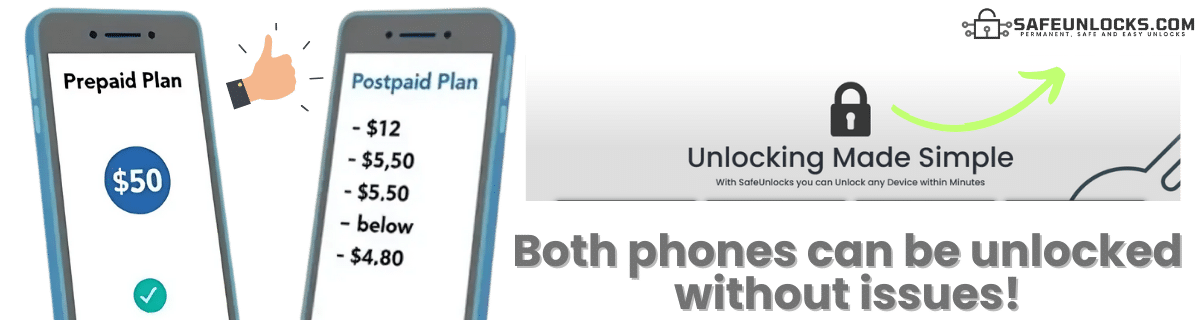
Yes, for reported mobile devices, it doesn’t matter what type of plan you have with the carrier. The only thing that can vary is the requirements necessary to unlock your mobile phone, but that’s it. Prepaid and postpaid will only affect you if you try switching carriers or SIM cards. Still, for reported devices, you shouldn’t have any issues.
Still, if you need more info about it, we recommend giving a call to your service provider and asking them directly about all the procedures. You can also use that time to do a quick IMEI check and see what type of report you have so you can be prepared in case they don’t help. That way, you can move to SafeUnlocks and get your phone working again.
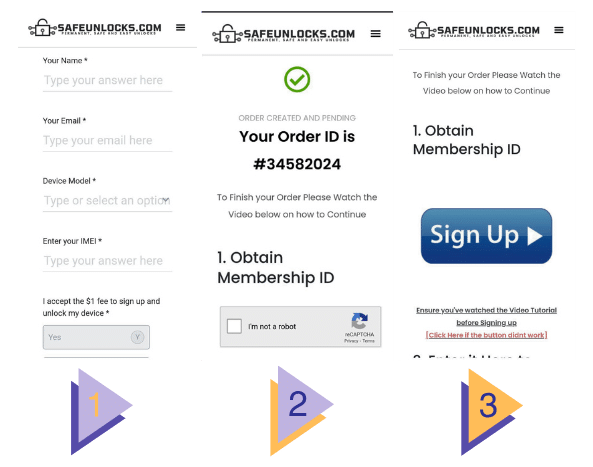
IMEI Blacklist Unlock Service
How to compare IMEI blacklist / lost-stolen report in Australia
When a phone is reported lost, unpaid, or seized, the IMEI can be blocked for service even if the SIM tray is open. For IMEI blacklist / lost-stolen report in Australia, start with an official IMEI check, then compare what each shop says they can change.
the original operator or maker in Australia still controls the source record for this lock type. A comparison page cannot replace that desk. Use it to see which shops disclose the same limits the official policy already states in 2026.
Before you compare shops for IMEI blacklist / lost-stolen report in Australia, collect the 15-digit IMEI (dial *#06#), a photo of the exact lock screen, and proof you are allowed to request a change. The IMEI format helper at /random-imei-generator-online is only for checking digit layout. It does not create a live identity for a real phone.
This URL is a 2026 comparison article, not a checkout for SafeUnlocks labor. Partner forms, if present, belong to the services being compared. Keep receipts and policy pages from those parties, not from a brand claim that “we unlock” this handset.
Treat the body below as source material from the original guide, and treat this briefing as the portal layer. Together they should tell you whether IMEI blacklist / lost-stolen report in Australia is a SIM issue, an account lock, or a database flag before you leave the IMEI blacklist guides.
Country context matters for IMEI blacklist / lost-stolen report in Australia. Local databases, consumer unlock laws, and prepaid versus postpaid rules are not copied from another market. A 2026 listing that ignores that geography is a weak comparison.
Mixing lock types is how people buy a carrier unlock for an iCloud screen. IMEI blacklist / lost-stolen report in Australia is labeled imei so the related links stay in family. Leave the page if the device is showing a different lock.
Red flags when you compare IMEI blacklist / lost-stolen report in Australia listings in 2026: guaranteed success with no IMEI check, “one tap” claims, and copy that never names the lock type. Prefer shops that state refund rules, processing windows, and what happens if the official desk refuses the request.
Plan IMEI blacklist / lost-stolen report in Australia as a request with a queue, not a download. If the lock is imei, the clock starts when the party that owns the record accepts the case, not when you paste an IMEI into a form.
Ownership and payoff sit above lock type. Confirm both before you compare prices for IMEI blacklist / lost-stolen report in Australia. A cheap quote on a financed or reported device is not a bargain; it is a mismatched offer.
You now have a 2026 briefing for IMEI blacklist / lost-stolen report in Australia: lock family, official desk, checks, and the red flags that show up in ads. Continue into the original guide below and the related IMEI blacklist guides when you want a sibling country or brand. Stay on the lock type you actually have.