
Why is it Showing that the iPhone 11 is Locked to a Previous Owner?
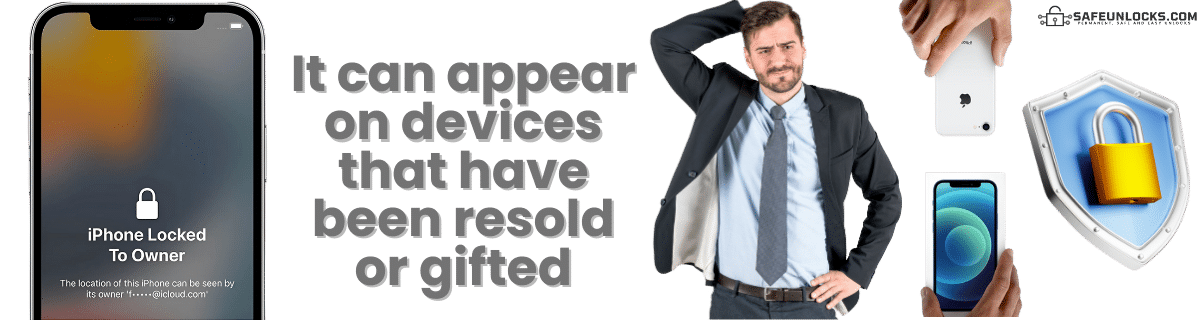
This message is actually pretty common on second-hand iPhone devices since it means that the Apple ID of the previous owner is still active on that phone. That means that to access the lock screen of the device, you need that person’s credentials; otherwise, it will only show that screen with a message that says that you can try to call them or contact Apple for more information.
When that happens, it can be that the phone got lost or stolen and was resold on some website or store. However, it can also happen that the person in charge of the device forgot to delete the account… If you want to check if that is the case, you can also take a look at the IMEI number of the phone on an IMEI blacklist checker. There, it will tell you if the device was flagged and when the iCloud lock was activated.

Is it Better to Bypass the iCloud Lock or Jailbreak the iPhone 11?
It will always be better to bypass activation locks without Apple ID and password than to try to jailbreak and damage the device. The reason behind this is that the option to jailbreak a device is not as easy as before, and since Apple has been patching this with every update, we are not sure if it will work. Additionally, you can remove activation locks more easily online with SafeUnlocks without risking the security of your device, and 100% online.
Unlock iCloud iPhone 11: How to Use SafeUnlocks to Remove This Restriction
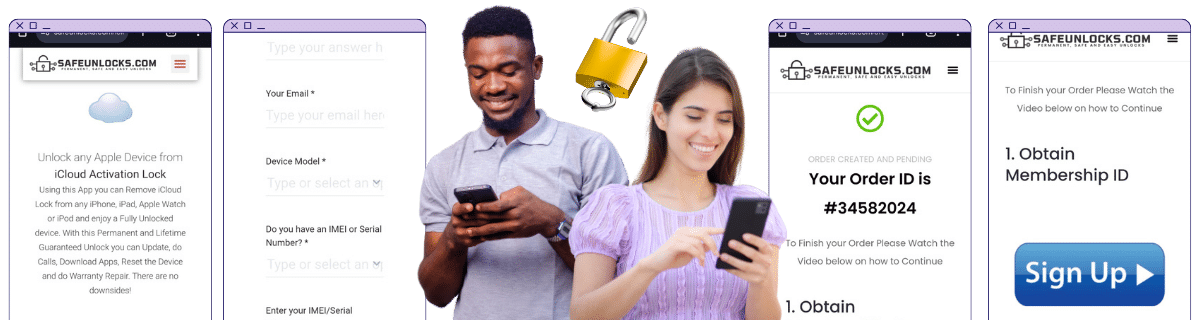
To remove the activation lock on iPhone without so many things and requirements, you can go to our site and follow some simple steps. For starters, you will need to fill out a form with your name, email, model of the iOS device (iPhone 11), and IMEI or serial number. After that, you have to accept the $2 payment, and an order will be created for this case. To activate this order, you need to complete a validation process, and when that part is done, our servers will work on your device without issues.
After a couple of minutes, you will see a message on the screen that says that the device is already cleaned and that we already bypassed the iCloud activation lock on the iPhone. So when you see that, please restart your device, wait for a couple of minutes, and turn it back on. Apple should greet you, and you should be able to add a new account since the activation lock screen is now functional.
Activation Lock Removal Service
How to compare iPhone iPhone 11 iCloud Activation Lock
An iCloud lock stays on the device until the original Apple ID signs out or Apple removes the lock for a verified owner. For iPhone iPhone 11 iCloud Activation Lock, screenshots of a shop “bypass” are not the same as a clean Activation Lock status in Settings.
iPhone still controls the source record for this lock type. A comparison page cannot replace that desk. Use it to see which shops disclose the same limits the official policy already states in 2026.
Before you compare shops for iPhone iPhone 11 iCloud Activation Lock, collect the 15-digit IMEI (dial *#06#), a photo of the exact lock screen, and proof you are allowed to request a change. The IMEI format helper at /random-imei-generator-online is only for checking digit layout. It does not create a live identity for a real phone.
This URL is a 2026 comparison article, not a checkout for SafeUnlocks labor. Partner forms, if present, belong to the services being compared. Keep receipts and policy pages from those parties, not from a brand claim that “we unlock” this handset.
Treat the body below as source material from the original guide, and treat this briefing as the portal layer. Together they should tell you whether iPhone iPhone 11 iCloud Activation Lock is a SIM issue, an account lock, or a database flag before you leave the iCloud lock guides.
Model-specific copy on iPhone iPhone 11 is here because FRP overlays, iCloud screens, and carrier apps are not identical across brands. Match the lock screen you have to iCloud Activation Lock before you follow a different brand’s guide.
Mixing lock types is how people buy a carrier unlock for an iCloud screen. iPhone iPhone 11 iCloud Activation Lock is labeled icloud so the related links stay in family. Leave the page if the device is showing a different lock.
Red flags when you compare iPhone iPhone 11 iCloud Activation Lock listings in 2026: guaranteed success with no IMEI check, “one tap” claims, and copy that never names the lock type. Prefer shops that state refund rules, processing windows, and what happens if the official desk refuses the request.
Plan iPhone iPhone 11 iCloud Activation Lock as a request with a queue, not a download. If the lock is icloud, the clock starts when the party that owns the record accepts the case, not when you paste an IMEI into a form.
Ownership and payoff sit above lock type. Confirm both before you compare prices for iPhone iPhone 11 iCloud Activation Lock. A cheap quote on a financed or reported device is not a bargain; it is a mismatched offer.
You now have a 2026 briefing for iPhone iPhone 11 iCloud Activation Lock: lock family, official desk, checks, and the red flags that show up in ads. Continue into the original guide below and the related iCloud lock guides when you want a sibling country or brand. Stay on the lock type you actually have.