
Skip to content

Leading iCloud Activation Lock Service for iPhone 14

#1 Removal Tool for Apple iCloud Lock

Did you know it’s possible to regain access to an iCloud-locked iPhone 14? Thanks to SafeUnlocks’ innovative platform and servers, you can now unlock your device with ease anywhere! If you’re an iPhone user looking to learn how to unlock the iCloud activation lock on an iPhone 14, and you’re new to the topic, this guide is perfect for you. 

Did you know that it is possible to regain access to an iCloud-locked iPhone 14? All of it is thanks to SafeUnlocksā€˜ innovative platform! So, if you are one of those iPhone users currently looking to learn how to unlock iCloud on iPhone 14 and are new to the topic, this guide is totally for you. Learn and discover with us how the activation lock on iPhone works and how we can help remove this restriction quickly and safely for only $2.

Is the Apple ID the same thing as the iCloud Account?

They are closely related since they work with each other, protecting the iPhone and offering service. However, they are different, and here we will explain the difference so you can know how they complement each other and how they work for the locked device.  

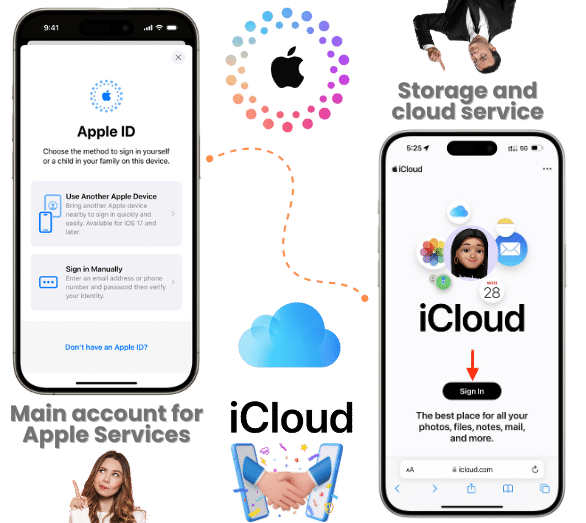
  • Apple ID: This one is your main account for all Apple services, including iTunes, the App Store, iCloud, Apple Music, iMessage, etc. It’s essentially the main identity that allows you to access everything Apple offers, including syncing devices and making purchases.
  • iCloud account: iCloud is Apple’s cloud storage and cloud computing service (it saves everything there). It’s used to store data like photos, contacts, documents, backups, etc. When you use iCloud, you’re using your Apple ID to sync and store information across Apple devices.

In short, the Apple ID is the credential and iCloud password, while the other one is the service that reunites almost all the features and configurations in one place. That’s why when you have the activation lock, it asks for the credentials associated with iCloud, which are the ones created when you first set up the device. 

Is the Apple ID the same thing as the iCloud Account

How can I Log In to my Apple ID?

You can do it in a lot of ways since you can access it with your iPhone 14, a Mac, an Apple Watch (only if it’s paired with the iPhone), and the iCloud website. Once you are on any of those sites, it will ask for the email you created for Apple and the password, which is usually more than eight digits. If you want to know how to do it on each device, here’s an official Apple YouTube video about it!

Why is it so Difficult to Recover an Apple ID Sometimes?
Why is it so Difficult to Recover an Apple ID Sometimes?

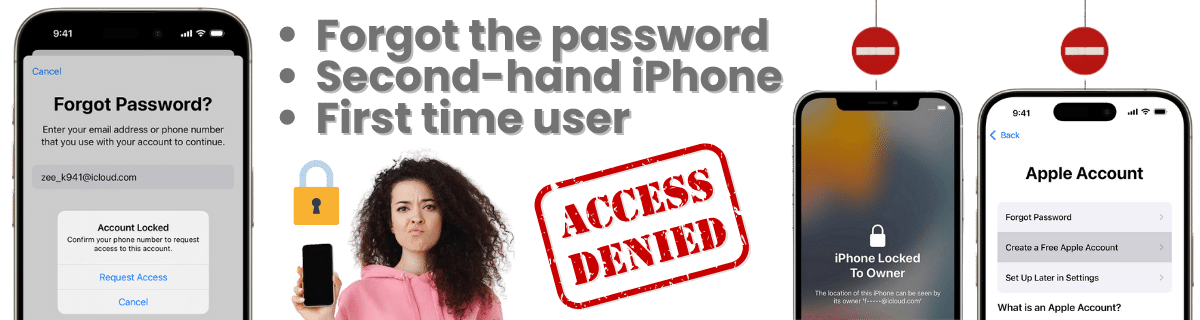
It can be difficult because you may not be familiar with the iPhone yet and may not know how to remove the iCloud activation lock. It can also happen when you have a second-hand iPhone, and it has the error ā€œlocked to the ownerā€. When that occurs, most of the time, support and other guides recommend trying to contact the previous owner, but sometimes it is impossible to do so, especially if the device was reported lost or stolen

Other factors can also be that Apple asks a lot of verification and security questions to recover an Apple ID and remove iCloud activation locks since all the important info about the phone is stored there. The thing is that it shouldn’t be a complicated process, and that’s why SafeUnlock’s iCloud unlock service wants to help! So use our bypass tool today and recover all your features without password or special bypass software!
How is the Apple Process to Unlock iCloud Activation Lock Screen?

How is the Apple Process to Unlock iCloud Activation Lock Screen?

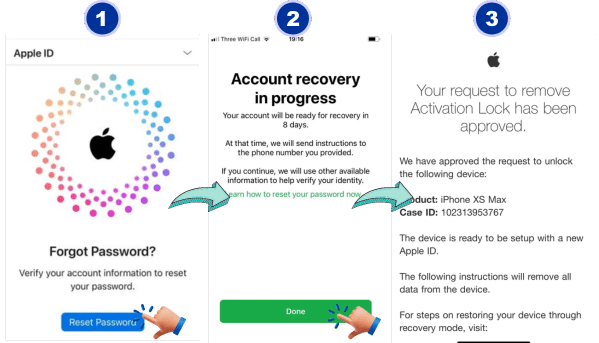
For this one, you will need to recover access to the account that was set up on the phone. If you are the original owner, Apple has a specialized site to start the password and account recovery. You can also call them and provide all your information to validate your account (you might also need a valid proof of purchase). That way, you can get help and clean the activation lock from your iPhone at the same time.

If, on the other hand, you don’t have any info related to the iCloud account to unlock your iPhone 14 because it was purchased or gifted by a third party, you can use other services (SafeUnlocks).

The iCloud Lock is the same as the Locked to Owner?

Yes, it is the same concept, it is a lock that doesn’t allow anyone inside the iPhone 14 besides the original owner. The only difference between the two is the fact that the iCloud lock pops up when you try to erase information from the phone, and the other one is a message that can appear when the phone has been lost. The other features are basically the same, and they work with the same Find my iPhone function.

Is the iCloud Activation Lock Enabled by Default every time?
Is the iCloud Activation Lock Enabled by Default every time?

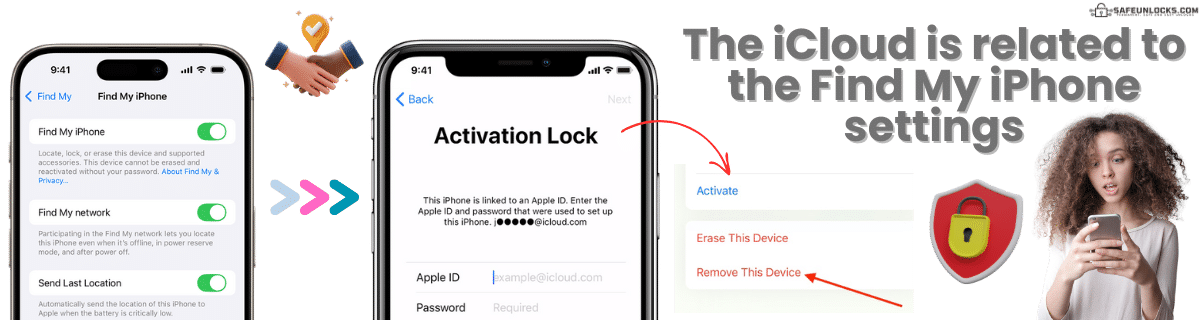
That’s correct; every time you set up an iPhone 14 for the first time, you will need to create an Apple ID, and with that, the Find My iPhone activation lock is enabled by default. This is a security feature that can only be disabled by the owner, but it is not recommended to do it as it can protect your data and sometimes tell you where your phone is. That’s why when someone tries to hard reset the device or access it without the password, the activation lock gets active and locks the screen. 

Is it possible to sell an iPhone 14 with an iCloud lock?

There are pawn shops and online sites that accept an iCloud locked iPhone, but they usually ask for a low price since it’s not fully working. There are some cases where the users prefer to buy these devices only because they already know how to unlock them. But most of the time, the offer is rejected by people who don’t want to deal with it. If, for example, you want to sell the device, unlocking and cleaning any restrictions first is recommended so it can improve its resale value. 

Does SafeUnlocks Work for any iPhone 14 Model?

Any version of the iPhone 14, like the 14 Pro and 14 Pro Max, can be unlocked without hesitation here! It can still be unlocked even if you have an older model like the iPhone 7. Just get the valid email address and the IMEI or serial number, and we will take care of the rest for you. It is time to use the best iCloud bypass tool on the market and give your device a second chance. 

SafeUnlocks Unlock iCloud iPhone 14 Process
SafeUnlocks Unlock iCloud iPhone 14 Process

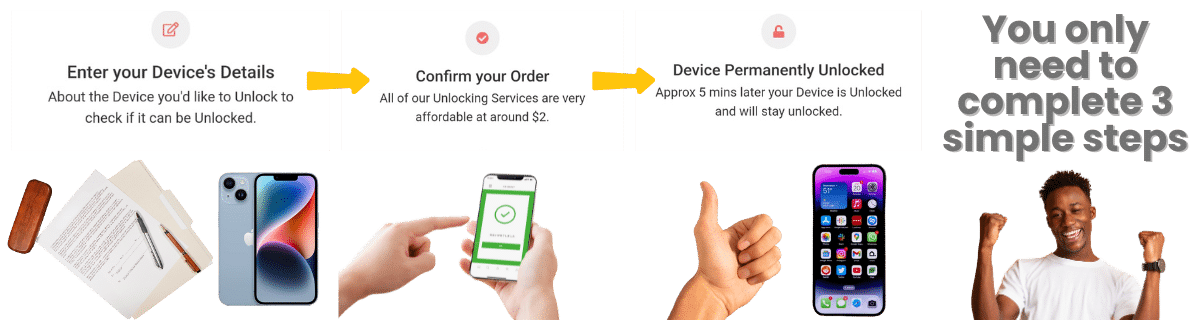
To use our unlock tool and remove the iCloud lock, you need to fill out a simple form with the following data: name, email, model of the iPhone, IMEI, or serial number associated with the iPhone 14. With this, we will create an order so you can keep track of the process and, at the same time, validate your identity. Once that is done and you have paid the $2 fee, the servers will grab your order and start working on it.

To complete it and bypass the activation lock, you will need to enter a special membership key that will arrive in your email. With that, you only need to wait for a couple of minutes, and when you see the success message on the screen, you can restart the device. The moment you are back on, you should be able to regain access to the main screen, turn off the iCloud lock option, or delete the account just in case. 

FAQ: Learn more about the iCloud Activation Lock Here!

You can use SafeUnlocks’ iCloud activation lock removal service and unlock the device in no time, without having to wait and provide so many requirements. Unlock any iPhone models (iPhone 11, iPhone 12, etc.) running on any iOS version without special cables or software to bypass iCloud security screens and configuration. 

Activation Lock Removal Service

Identifier Type *

You can find your IMEI by dialing *#06# on your device or in Settings → General → About.

How to compare iPhone iPhone 14 iCloud Activation Lock

If setup stops on the Apple ID screen, you are looking at Activation Lock. This page on iPhone iPhone 14 iCloud Activation Lock explains how ownership proof, iCloud.com, and carrier or shop claims differ so you can compare options without treating SafeUnlocks as the shop.

Apple’s official path is still iCloud.com, Find My, and proof of purchase when the previous owner cannot sign out. iPhone may help with a receipt, but Activation Lock is not a carrier NCK. Compare any 2026 shop claim against that Apple process.

Three artifacts stop most wasted orders: the IMEI, the on-screen lock wording, and account-holder proof. For iPhone iPhone 14 iCloud Activation Lock, skip any checkout that will not say which of those it needs. Use /random-imei-generator-online only to understand IMEI length and checksum shape.

Read ā€œUnlock iCloud iPhone 14: Bypass Made Easy with SafeUnlocks!ā€ as a briefing. SafeUnlocks recommends and compares. Any paid work happens off this site with the party you choose after you have the lock type and the official rules in hand.

Use this page in three passes: confirm the lock type matches iPhone iPhone 14 iCloud Activation Lock, read the official path, then open the related iCloud lock guides for the same family. Internal links on this URL are there so you stay inside the right lock bucket instead of bouncing to a random how-to.

iPhone iPhone 14 does not get a special SafeUnlocks ā€œmaster code.ā€ It gets a clearer comparison of iCloud Activation Lock options that mention this brand’s support paths and known policy quirks.

Keep four buckets separate while you read about iPhone iPhone 14 iCloud Activation Lock: carrier SIM lock, iCloud or Google account lock, PUK on the card, and IMEI blacklist. This URL is filed under icloud. If the on-screen text belongs in another bucket, switch to that hub instead of forcing this page to answer it.

If a iPhone iPhone 14 iCloud Activation Lock ad uses ā€œleading providerā€ language and hides the operator policy, score it down. Comparison means you can place that listing next to the official desk and see the gap.

Keep a dated note of when you asked iPhone iPhone 14 iCloud Activation Lock to be reviewed. That stamp is more useful than a marketing countdown. SafeUnlocks will not invent a publish date or a turnaround to make the page look fresher.

An unpaid balance, lease, or insurance claim can block iPhone iPhone 14 iCloud Activation Lock even when the hardware is in your hands. That hold is a billing or police record, not a missing unlock code. Comparison copy that skips finance status is incomplete.

If this briefing and the older body copy disagree on tone, trust the lock-type split and the official-desk rule. iPhone iPhone 14 iCloud Activation Lock should still be compared, not purchased as a mystery SKU from a banner.