

Skip to content

Leading IMEI Unlock Service | Philippines

Fast & Reliable Blacklist Unlock Service

If your phone has been blacklisted in the Philippines, use SafeUnlocks to help remove it from the blacklist and recover your mobile network functions easily with us! SafeUnlocks offers a reliable service that can work with several carriers, allowing you to unlock your device safely and permanently. Just provide your phone’s IMEI number, and our team will initiate the process to clear it from the blacklist and once unlocked, your phone will be free to use all the time! 

Unlocking your smartphone from the carrier gives you the freedom to do whatever you want with the phone. This includes, of course, traveling outside the Philippines without having network issues (you can use roaming again), or you can basically resell the device and get a new phone without having to worry about the blacklist report at all.

With that being said if you want to unlock your device and enjoy these and more benefits, start today. Unlock the process with SafeUnlocks to unlock the IMEI. The results will amaze you, as here we will provide the easiest instructions available to clean the report and give you a permanent solution that doesn’t involve third parties or annoying requirements from the carrier!

What Requirements Should You Have to Unlock a Device?

Getting a blacklisted iPhone or Android can be a little bit difficult with the carrier, as they usually need to have certain information about you and the phone to complete the request. Most of the time, they ask for proof of purchase or an account number so they can associate the device with you. 

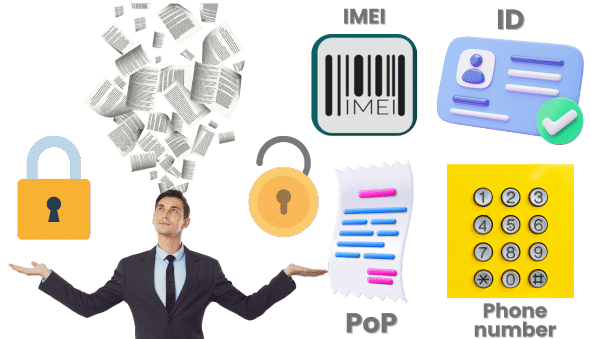
Other requirements can include your full name, phone number, ID card, the IMEI number of the mobile phone, and serial number. Each network carrier (like Globe, Smart, or Sun) will have its own procedure and its own tools to unlock the phone. Because of that, you will have to contact their customer support for more information, and they will guide you on the specific documents they need for the cleaning process. 

What Requirements Should You Have to Unlock a Device?

Besides the Carrier, who else can Unlock a Phone by IMEI?

Besides the three major carriers in the Philippines, you can also try to contact the National Telecommunications Commission (NTC). They are the ones in charge of regulating blacklisted devices and overseeing telecommunications in the country. For other alternatives, you can also use third-party tools such as SafeUnlocks online service to unlock phones by IMEI without calling anyone or going to a store.  

Can a Phone be Tracked if the IMEI is Locked?

Can a Phone be Tracked if the IMEI is Locked?

In this scenario, tracking a phone is a different issue from a blacklist status. Although carriers say they can keep an eye on your device and track it when it is reported, they usually need other services and tools. Additionally, if you don’t have GPS, Wi-Fi, or Bluetooth enabled, it can be difficult to track a phone since the apps necessary to do it will require those options to be on. 

It can still be tracked, and it will show the recent location the phone was connected to, but if someone wants to recover the device, they have to tell the Philippines authorities and the carrier to proceed with a search. Otherwise, the phone will still be locked, and it will be almost impossible to recover. 

Who Locks the IMEI?

Who Locks the IMEI?

The network provider or the NTC blacklists the IMEI. What they do is use the IMEI number to create a report (fraud, missing bills, illegal activities, lost or stolen) and add it to the international blacklist database. With that, all the carriers associated with that list inside and outside the Philippines can lock their services to that phone. 

Additionally, the phone will lock, and it will not be possible to connect to any type of mobile network or carrier unless you complete the unlock process. This will disable the SIM card functions and other normal functions like calls and messages. 

Who Locks the IMEI?

Where can you go to Unlock an IMEI Number?
Where can you go to Unlock an IMEI Number?

To unlock your phone, you can either contact your mobile carrier or go directly to one of their stores and make the unlock request. For online services, you can go to SafeUnlocks and follow the instructions there to unlock your iPhone and Android legally and permanently. For both options (carrier and SafeUnlocks), it will be necessary to have the IMEI code handy, so don’t forget to find it before doing anything else. 
What should I do if my Unlocking Request says my Device has an Invalid IMEI?

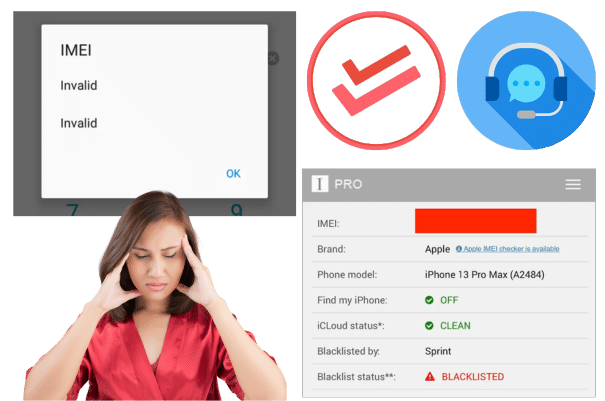
If your unlock request says that your device has an invalid IMEI, the carrier’s system will not recognize the IMEI number you provided. This could happen for several reasons, like cloning the IMEI, changing this code without authorization, or sometimes it can also be related to SIM lock issues. In order to solve it, here are some things you can try:

  • Double-check your IMEI number to make sure it is the right one and not missing a number or something.
  • Verify the IMEI using IMEI online checkers or with your carrier.
  • Contact your carrier to resolve the IMEI issue, especially if it’s blacklisted or locked to a specific carrier.
  • Ensure the device is a valid one and not one that has been altered or changed.
  • If needed, contact the NTC for assistance if the IMEI issue is not resolved.
What should I do if my Unlocking Request says my Device has an Invalid IMEI

How can you tell if a Phone is Unlocked using IMEI?

The moment the mobile device is clean from the blacklist, you should be able to recover your network and SIM functions. You can check the signal bar and see that the name of your original carrier appears on the main screen or while you are outside your home. Lastly, the same IMEI blacklist checkers that you use to check before the status can tell you if it is clean, as they usually can be used more than once, and there are multiple free sites online that can assist you with that. 

What is the Best IMEI Unlock Service Available?
What is the Best IMEI Unlock Service Available?

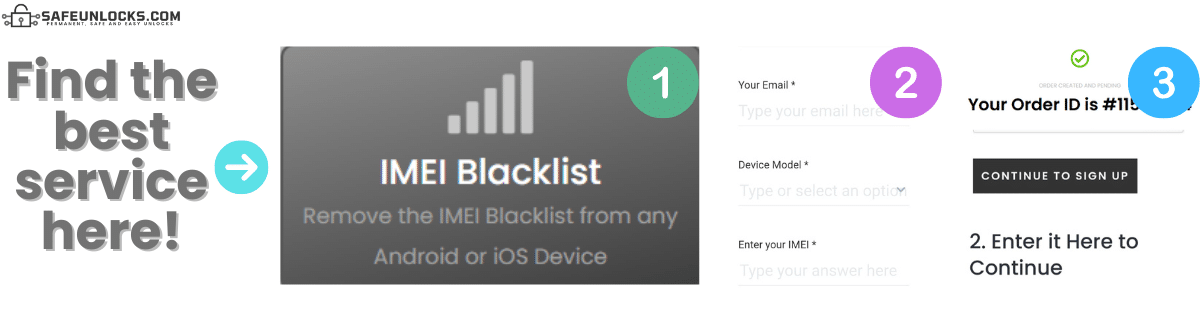
The best phone unlock service for any type of device can be found on SafeUnlocks. All you need to do is complete the on-screen instructions, and in no time your phone will be unlocked. To give it a shot for the best service, you need to complete the form with your name, email, manufacturer, and IMEI number. After that, make the $1 payment and get the key to access the servers. 

You will have an active order number so you can complete the request, and once you finish that part, you can go ahead and let the servers do the cleaning process. When they are done, it will show a message on the screen that the phone has been unlocked and to please restart it so the procedure can be completed to 100%.

 

Why use SafeUnlocks to Clean and Unlock your IMEI?

Why use SafeUnlocks to Clean and Unlock your IMEI?

Unlock any phone remotely, whether a new one or an old one, with just the IMEI number. As you can see above, you only need 4 pieces of information to clean your device from the blacklist, making it one of the most efficient tools on the market. We also like to ensure our services, meaning that if you have issues, we will help you right away so you can complete your request without so much stress. 

FAQ for Blacklisted Phones!

FAQ for Blacklisted Phones ​

IMEI Blacklist Unlock Service

Identifier Type *

You can find your IMEI by dialing *#06# on your device or in Settings → General → About.

How to compare IMEI blacklist / lost-stolen report in the Philippines

Blacklist status and carrier unlock are separate records. This page on IMEI blacklist / lost-stolen report in the Philippines exists so you can see that split before you treat a “clean IMEI” ad as a network unlock.

The first comparison point is the official desk: the original operator or maker in the Philippines. Ask whether the account is in good standing, whether a waiting period applies, and whether the requester must be the account holder. Shops you compare later should be measured against that 2026 policy, not the other way around.

Three artifacts stop most wasted orders: the IMEI, the on-screen lock wording, and account-holder proof. For IMEI blacklist / lost-stolen report in the Philippines, skip any checkout that will not say which of those it needs. Use /random-imei-generator-online only to understand IMEI length and checksum shape.

Read “Unlock IMEI Numbers in the Philippines in Less than 10 Min!” as a briefing. SafeUnlocks recommends and compares. Any paid work happens off this site with the party you choose after you have the lock type and the official rules in hand.

Use this page in three passes: confirm the lock type matches IMEI blacklist / lost-stolen report in the Philippines, read the official path, then open the related IMEI blacklist guides for the same family. Internal links on this URL are there so you stay inside the right lock bucket instead of bouncing to a random how-to.

the Philippines does not share one global unlock desk. For IMEI blacklist / lost-stolen report, use sources that name this market. Pairing this page with a different country’s guide would be a bad hreflang match and a worse shopping decision.

Keep four buckets separate while you read about IMEI blacklist / lost-stolen report in the Philippines: carrier SIM lock, iCloud or Google account lock, PUK on the card, and IMEI blacklist. This URL is filed under imei. If the on-screen text belongs in another bucket, switch to that hub instead of forcing this page to answer it.

If a IMEI blacklist / lost-stolen report in the Philippines ad uses “leading provider” language and hides the operator policy, score it down. Comparison means you can place that listing next to the official desk and see the gap.

Keep a dated note of when you asked IMEI blacklist / lost-stolen report in the Philippines to be reviewed. That stamp is more useful than a marketing countdown. SafeUnlocks will not invent a publish date or a turnaround to make the page look fresher.

An unpaid balance, lease, or insurance claim can block IMEI blacklist / lost-stolen report in the Philippines even when the hardware is in your hands. That hold is a billing or police record, not a missing unlock code. Comparison copy that skips finance status is incomplete.

If this briefing and the older body copy disagree on tone, trust the lock-type split and the official-desk rule. IMEI blacklist / lost-stolen report in the Philippines should still be compared, not purchased as a mystery SKU from a banner.