Skip to content

Leading IMEI Unlock Service | T-Mobile USA

Fast & Reliable Blacklist Unlock Service

Unlock your T-Mobile device today with SafeUnlocks’ IMEI unblacklisting online service! If your IMEI is blacklisted and don’t know what to do, we can help clear it quickly and safely. Get back to your T-Mobile network without the hassle—no more restrictions or locks! Go to SafeUnlocks now and get your device back in action in no time for only $2!

Having a blacklist report from T-Mobile is not something that can affect many users. Because of that, it can be difficult to know what to do when it happens. The good part about this is that we specialize in these types of issues, and that’s why we know how to help unlock IMEI T-Mobile! So, if you need assistance with your T-Mobile device and want to get rid of the blacklist report today then you have come to the right place! Start your unlock process now and discover a new world with your phone without restrictions. 

Do all IMEI Reports Work the Same with a T-Mobile Phone?

Yes, and even with different carriers that are not associated, the report and the IMEI registration work the same. All of it is because of the blacklist database that operates in at least 40 countries. All major and small carriers can have access to it to add or remove a device to protect the user who legitimately got the smartphone. 

Can I use a T-Mobile Line and Service with a reported IMEI?

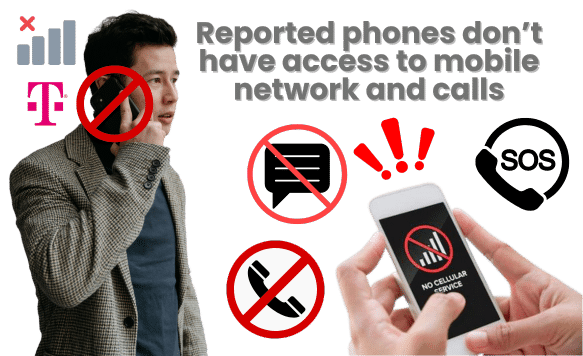
Reported or locked phones can’t be used with any network, including the one from T-Mobile. That means that if you try the SIM card from another carrier, it will not work since the report will block everything related to a device’s network connection. It doesn’t matter what type of phone, the brand, or location; it won’t have any cellular signal besides the Wi-Fi. 

The only thing available on a locked phone is the emergency call, and with that, you can try to contact T-Mobile for assistance. Other than that, the other network providers in your area won’t be able to help or provide adequate service for your mobile device until it’s clean of any report and lock. 

Can I use a T-Mobile Line and Service with a Reported IMEI?

Can Traveling Abroad Unlock my IMEI and my T-Mobile Service?

When a device is locked, it gets added to an international database list called a blacklist. So even if you travel and use any local SIM there, it won’t connect either, as the report will follow the IMEI of your mobile phone. Additionally, carriers inside and outside the US can check if a device is locked and when it was added so they can deny mobile service.

Why are Secondhand Phones so Tricky to Unlock?

Why are Secondhand Phones so Tricky to Unlock?

Because of the unlock eligibility requirements, T-Mobile, to unlock your device from the blacklist, will ask for certain criteria in order to prove you are the original owner of the device. Users must provide the account details of their T-Mobile service and the device’s IMEI number. Other requirements can also be valid proof of purchase, being in good standing with the company regarding plans and finance quotes, and some sort of identification to finish the unlock process.

For secondhand devices, it is more complicated as they won’t unlock those IMEI even with the account number. Because of this, many people prefer to do this online with tools like SafeUnlocks. As far as we know, there are not many exceptions to this rule unless the previous owner is the one that takes off the report directly with T-Mobile, as they can count as the original owner. 
What Alternative Exists if T-Mobile USA Doesn’t Unlock the Device?

For this one, the good news is that many online tools and software can help unlock a T-Mobile. However, keep in mind that most of them are currently designed to help with carrier unlock services. If you are looking to remove a blacklist report from your IMEI, then you can use our SafeUnlocks services instead and permanently unlock your IMEI without having to contact T-Mobile customer support. 

What if the T Mobile IMEI got Reported Because its Duplicated

What if the T-Mobile IMEI got Reported Because it’s Duplicated?

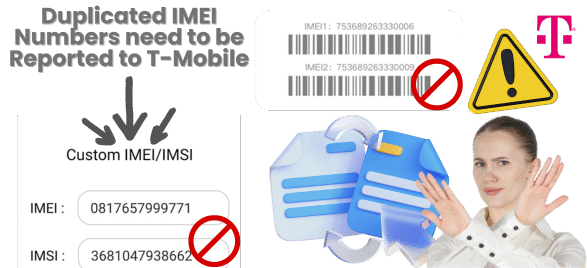
Duplicated IMEI numbers can be challenging to manage, as it can be because someone else copied your IMEI or because it was a manufacturer error. Still, in both cases, it is recommended to first check your blacklist status with an IMEI checker to see if it is really reported because of that, and then call T-Mobile support. The reason behind that is that they have a protocol for these issues, and to clean the IMEI, they can ask for other types of requirements. 

Can I Bring other Devices to T-Mobile if they are not Reported?

If the device is no longer reported and you don’t have any carrier lock active, you can bring any smartphone to T-Mobile. Once you have your IMEI clean with us, you should be able to move between carriers inside and outside the US more easily. It’s an easy process; you just need to find the right tools, and you can finish everything in one single day without wasting time and so many resources. 

Is there a Device Unlock App I Could Use Instead of the T-Mobile Device Unlock Service?

Is there a Device Unlock App I Could Use Instead of the T-Mobile Device Unlock Service?

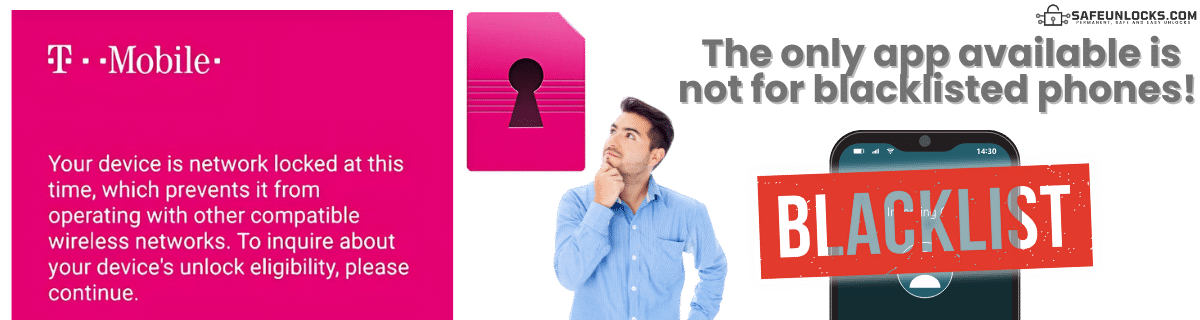
Currently, the only unlock app available from T-Mobile is the one created to assist with network unlock issues and provide unlock codes. The thing is that there are no apps to clean blacklisted devices; you can use a program on your PC or use an online service like SafeUnlocks. The last resource is to contact T-Mobile, but if that doesn’t help, you can go back one step and use our services to unlock your T-Mobile easily. 
Follow These Simple Steps to Unlock the T-Mobile IMEI with SafeUnlocks

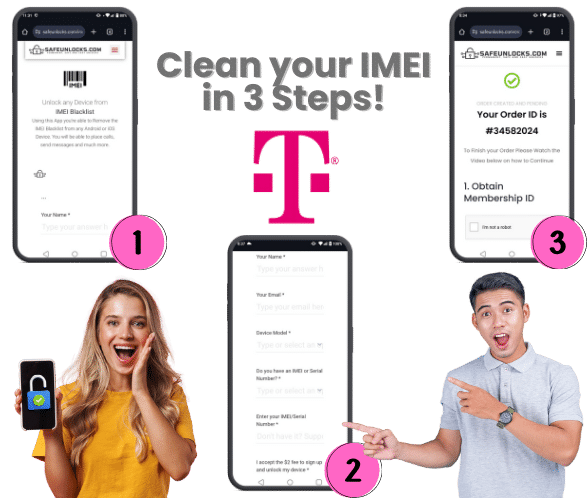
To permanently unlock your T-Mobile phone, you must follow the steps we will mention here. Don’t worry if you feel lost or need more help. Once you initiate the process, our support team will be available to help you complete unlocking your IMEI. With that being said, what you need to do to start your process and unlock your phone is:

  • Fill out the form on our page with your name, email, device model (iPhone, Samsung Galaxy, Motorola), and IMEI number.
  • Get your order number and check your email for the activation code. 
  • Complete the $2 payment and continue to the next screen.
  • Wait for the servers to finish and restart the device.

That’s it! Now you have an unlocked T-Mobile phone without having to do anything else and in less than an hour. It doesn’t matter where you are or what time zone you are in; you can do this process at any moment, and with that, your phone will be working again. If you want, you can check the unlock status online and ensure everything is right before using your mobile network. 

Follow These Simple Steps to Unlock the T-Mobile IMEI with SafeUnlocks

IMEI Blacklist Unlock Service

Identifier Type *

You can find your IMEI by dialing *#06# on your device or in Settings → General → About.

How to compare T-Mobile IMEI blacklist / lost-stolen report in the United States

Blacklist status and carrier unlock are separate records. This page on T-Mobile IMEI blacklist / lost-stolen report in the United States exists so you can see that split before you treat a “clean IMEI” ad as a network unlock.

The first comparison point is the official desk: T-Mobile in the United States. Ask whether the account is in good standing, whether a waiting period applies, and whether the requester must be the account holder. Shops you compare later should be measured against that 2026 policy, not the other way around.

Three artifacts stop most wasted orders: the IMEI, the on-screen lock wording, and account-holder proof. For T-Mobile IMEI blacklist / lost-stolen report in the United States, skip any checkout that will not say which of those it needs. Use /random-imei-generator-online only to understand IMEI length and checksum shape.

Read “Unlock IMEI T-Mobile | Updated Phone-Unlock Service Guide!” as a briefing. SafeUnlocks recommends and compares. Any paid work happens off this site with the party you choose after you have the lock type and the official rules in hand.

Use this page in three passes: confirm the lock type matches T-Mobile IMEI blacklist / lost-stolen report in the United States, read the official path, then open the related IMEI blacklist guides for the same family. Internal links on this URL are there so you stay inside the right lock bucket instead of bouncing to a random how-to.

the United States does not share one global unlock desk. For IMEI blacklist / lost-stolen report, use sources that name this market. T-Mobile rules sit on top of that. Pairing this page with a different country’s guide would be a bad hreflang match and a worse shopping decision.

Keep four buckets separate while you read about T-Mobile IMEI blacklist / lost-stolen report in the United States: carrier SIM lock, iCloud or Google account lock, PUK on the card, and IMEI blacklist. This URL is filed under imei. If the on-screen text belongs in another bucket, switch to that hub instead of forcing this page to answer it.

If a T-Mobile IMEI blacklist / lost-stolen report in the United States ad uses “leading provider” language and hides the operator policy, score it down. Comparison means you can place that listing next to the official desk and see the gap.

Keep a dated note of when you asked T-Mobile IMEI blacklist / lost-stolen report in the United States to be reviewed. That stamp is more useful than a marketing countdown. SafeUnlocks will not invent a publish date or a turnaround to make the page look fresher.

An unpaid balance, lease, or insurance claim can block T-Mobile IMEI blacklist / lost-stolen report in the United States even when the hardware is in your hands. That hold is a billing or police record, not a missing unlock code. Comparison copy that skips finance status is incomplete.

If this briefing and the older body copy disagree on tone, trust the lock-type split and the official-desk rule. T-Mobile IMEI blacklist / lost-stolen report in the United States should still be compared, not purchased as a mystery SKU from a banner.