Skip to content

Leading iCloud Activation Lock Service for iPhone 12

#1 Removal Tool for Apple iCloud Lock

Locked out of your iPhone 12 because of the iCloud Activation? SafeUnlocks offers a quick and easy way to bypass the lock and regain access to your device. Our professional service ensures your privacy and security while unlocking your phone. Get your iPhone working again! No technical skills needed—just a few simple steps and in no time your phone will be working again. 

If you’re looking for information on how to unlock iCloud on iPhone 12, this guide is perfect for you! Here, we will explain everything you need to know about removing the iCloud activation lock and how to use SafeUnlocks for this task. Whether it’s a second-hand device or how long ago you forgot the password, we will still help you and provide the best solution with this informative article. So, let’s begin!

Is there a General Passcode you can use to Remove the iCloud Lock?

Is there a General Passcode you can use to Remove the iCloud Lock?

No, in this case, every account, password, and Apple ID is unique for each user, so it’s not information that can be shared or generated. The lock screen will ask for the credentials; if they are not the right ones, it will deny access to the main screen. Even if you use online bypass tools, they won’t give you a code; they will just remove the restriction or bypass it so you can add a new account instead. 
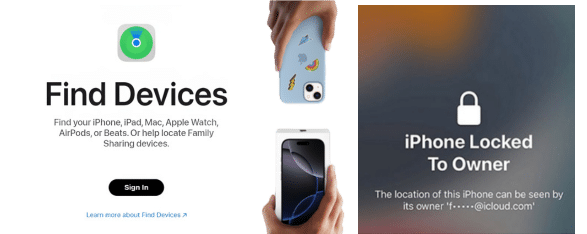
How did my iPhone 12 become iCloud Locked?

It can be multiple things, like the Find My iPhone option being enabled, trying to reset the device completely, or it being a second-hand iPhone and still linked to the previous owner. The most common reason is forgetting the password to access the iPhone 12, and when trying to recover it, the iCloud activation lock screen appears, and the user doesn’t remember those credentials either.

How did my iPhone 12 become iCloud Locked
Why does my iPhone 12 need an iCloud Account?

Why does my iPhone 12 need an iCloud Account?

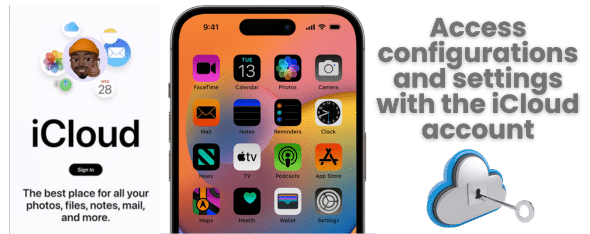
The iCloud account is needed for a lot of things inside the phone, whether it is for backup, for the activation lock on iPhone, or to use the app store. It is a way that Apple has to safeguard your information and provide services, so without it, the phone won’t work to its full potential since everything will be locked behind the account. So even if you try to avoid it, it will still ask for one when you try to download something or use some configurations.  

What if you Fail Multiple Times with the Apple ID and Password?
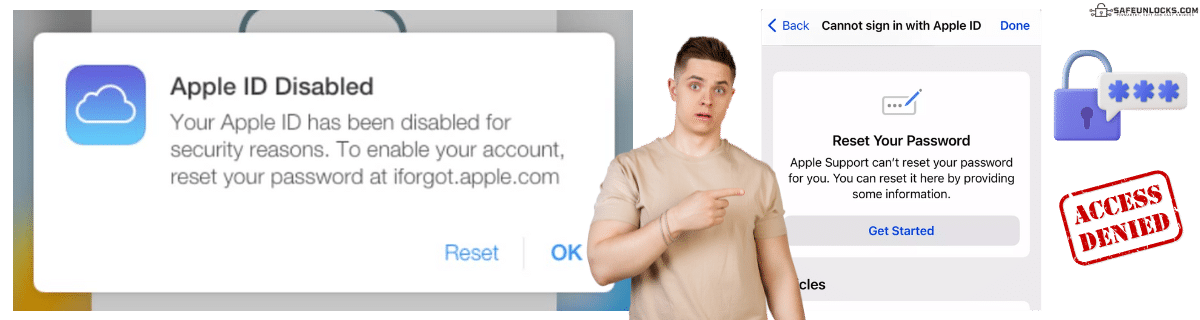
What if you Fail Multiple Times with the Apple ID and Password?

If that happens, you will likely have a temporary lockout with a message that says the account is currently being protected. You will have to wait for a couple of minutes or hours to try again and see if you can remove the activation lock. If you fail again, then it will be locked even further, and you will need to use the recovery option on their iCloud page to regain access to the iPhone or iPad. 

It is not necessary to connect your iPhone 12 to the PC, but you will need to have the email you used to register and answer some security questions to validate that it is really you. If that doesn’t work either, you must contact Apple Support and ask for assistance with the locked device. For this one, you will need proof of purchase and follow the steps to unlock your device. 
Can I Remove an iCloud-Locked iPhone 12 Only with Apple?

No, in this case, you can also bypass iCloud activation locks with the help of online tools or software. For this type of issue, the best recommendation is to use SafeUnlocks; that way, you can save time and money since we are not an expensive service.

Additionally, we don’t require many papers and info like Apple, and we don’t need a PC or a special cable so it can work. Just follow the steps we will mention later in this guide, and with that, you can unlock an iCloud-locked iPhone without a password or affecting the established configurations of your iPhone 12. 

How can you Contact Apple for Help with your iPhone 12?

How can you Contact Apple for Help with your iPhone 12?

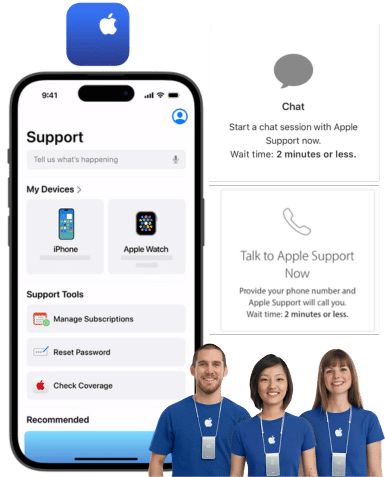
There are a few ways you can contact Apple for help trying to recover the account or if you need something else. In this part, we will add the most common contact methods so you can try them. Remember to have your Apple ID at hand, the IMEI or serial number, and at least the email associated with it so they can find you in the system: 

How can you Contact Apple for Help with your iPhone 12?

Can a Repairman Help Me Remove the iCloud Activation Lock?

Some specialized technicians can help remove an iCloud activation lock on iPhone 12. You can try to go to a local tech store, but keep in mind that it can be expensive, or they can deny the service. It will depend on whether you got the phone from Apple itself or if it was second-hand since they can check if it has been reported lost or stolen by someone else. Still, if you want to give it a shot, you will need to wait for a couple of hours or even some days until the tech person is done with the locked iPhone. 

Can I Successfully Remove Activation Locks without a Password?
Can I Successfully Remove Activation Locks without a Password?

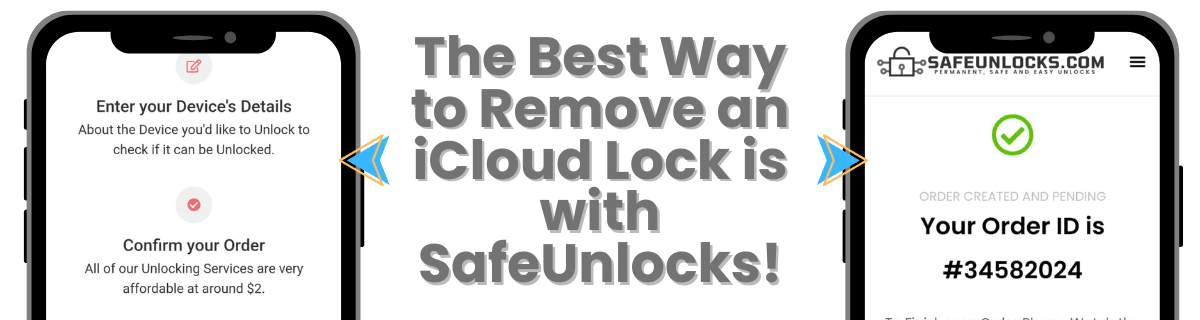
To unlock an iCloud-locked device without a password, your best shot will always be with SafeUnlocks. We can bypass the activation lock with the help of internal servers that can take care of any type of iPhone 12 without special codes or passwords. To start your process, please read the steps below and create your request now!
Use SafeUnlocks now to Unlock iCloud on iPhone 12

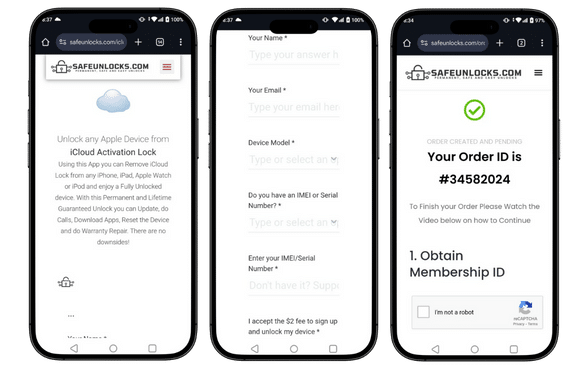
The best way to unlock your iPhone 12 is with SafeUnlocks! To start your cleaning process for the iCloud account, go to our main site and fill out the form with your name, email, model, and IMEI or serial number. After that, an order will be created with that information, and to activate it, you need to do a quick registration with us and make a one-time payment of $2. 

Once the order is activated, the servers will locate your device, clean the lock screen, and help you remove the iCloud account. When that part is done, you can restart the device; from that, you can add a new one or modify the one already there. After that, you don’t need to do anything else; you can use the iPhone 12 normally again.

Use SafeUnlocks now to Unlock iCloud on iPhone 12

Activation Lock Removal Service

Identifier Type *

You can find your IMEI by dialing *#06# on your device or in Settings → General → About.

How to compare iPhone iPhone 12 iCloud Activation Lock

An iCloud lock stays on the device until the original Apple ID signs out or Apple removes the lock for a verified owner. For iPhone iPhone 12 iCloud Activation Lock, screenshots of a shop “bypass” are not the same as a clean Activation Lock status in Settings.

iPhone still controls the source record for this lock type. A comparison page cannot replace that desk. Use it to see which shops disclose the same limits the official policy already states in 2026.

Before you compare shops for iPhone iPhone 12 iCloud Activation Lock, collect the 15-digit IMEI (dial *#06#), a photo of the exact lock screen, and proof you are allowed to request a change. The IMEI format helper at /random-imei-generator-online is only for checking digit layout. It does not create a live identity for a real phone.

This URL is a 2026 comparison article, not a checkout for SafeUnlocks labor. Partner forms, if present, belong to the services being compared. Keep receipts and policy pages from those parties, not from a brand claim that “we unlock” this handset.

Treat the body below as source material from the original guide, and treat this briefing as the portal layer. Together they should tell you whether iPhone iPhone 12 iCloud Activation Lock is a SIM issue, an account lock, or a database flag before you leave the iCloud lock guides.

Model-specific copy on iPhone iPhone 12 is here because FRP overlays, iCloud screens, and carrier apps are not identical across brands. Match the lock screen you have to iCloud Activation Lock before you follow a different brand’s guide.

Mixing lock types is how people buy a carrier unlock for an iCloud screen. iPhone iPhone 12 iCloud Activation Lock is labeled icloud so the related links stay in family. Leave the page if the device is showing a different lock.

Red flags when you compare iPhone iPhone 12 iCloud Activation Lock listings in 2026: guaranteed success with no IMEI check, “one tap” claims, and copy that never names the lock type. Prefer shops that state refund rules, processing windows, and what happens if the official desk refuses the request.

Plan iPhone iPhone 12 iCloud Activation Lock as a request with a queue, not a download. If the lock is icloud, the clock starts when the party that owns the record accepts the case, not when you paste an IMEI into a form.

Ownership and payoff sit above lock type. Confirm both before you compare prices for iPhone iPhone 12 iCloud Activation Lock. A cheap quote on a financed or reported device is not a bargain; it is a mismatched offer.

You now have a 2026 briefing for iPhone iPhone 12 iCloud Activation Lock: lock family, official desk, checks, and the red flags that show up in ads. Continue into the original guide below and the related iCloud lock guides when you want a sibling country or brand. Stay on the lock type you actually have.