Skip to content

Leading FRP Unlock Service Tool | Redmi

Fast & Reliable Blacklist Unlock Service

Regain full access to your Redmi device in minutes with SafeUnlocks, the fast and affordable FRP unlock service trusted by thousands.  Whether it’s a Redmi Note, Redmi K series, or any other model, our secure online system works instantly from any browser. No downloads, no confusion just a simple, effective solution. Don’t let FRP keep you locked out!

Although most people know about the FRP lock and its consequences, there are still people who don’t know how to get rid of it or what type of alternatives they have for Redmi devices. Because of that, SafeUnlocks has created a comprehensive guide that will help anyone understand this lock better and how they can FRP unlock Redmi devices without so many issues. So, let’s begin!

What’s the Difference Between a Redmi Mi Account and an FRP Lock?
What's the Difference Between a Redmi Mi Account and an FRP Lock?

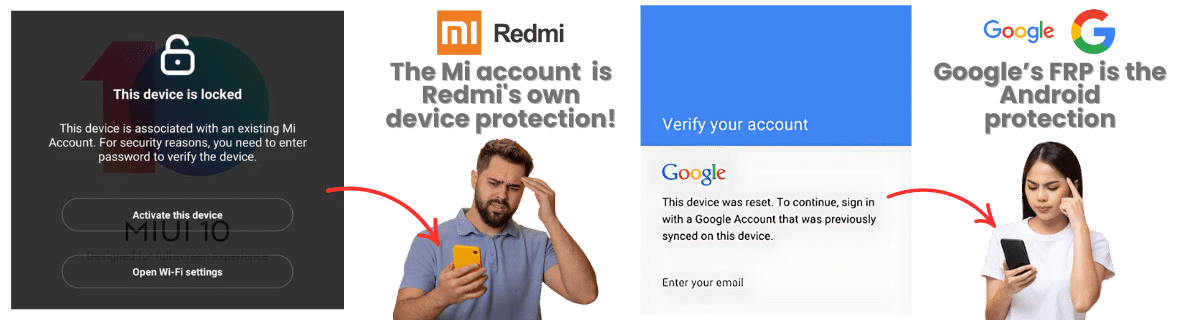
The Mi Account lock and FRP (Factory Reset Protection) lock are two different security features on Xiaomi/Redmi phones, and both can lock your device after a reset. The Mi Account is Redmi’s own device protection, while the Google one is a built-in Android security feature. Still, both are used to protect your data and prevent unauthorized use after theft or reset by asking for the credentials (email and password) associated with you and your device. 
If the FRP Lock is not Active the Mi Account can still Lock your Xiaomi or Redmi

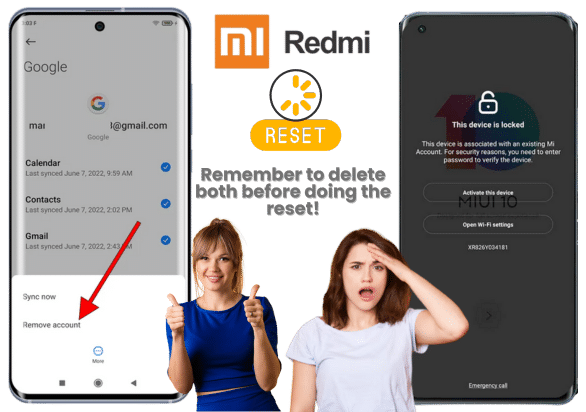
Remember that even if the FRP lock is not active, the Mi Account lock can still independently lock your Xiaomi or Redmi device. So, if you reset the smartphone without disabling the account or deleting the one you currently have, you will be prompted to enter these credentials as soon as the restart is over! Also, since this differs from the FRP lock on Xiaomi/Redmi, you will need to use other tools or ways to bypass this screen. 

This happens because Redmi uses the Mi Account system as a cloud-based anti-theft feature, similar to Apple’s iCloud Lock or even the Google account verification of Android. If the Mi Account is active and the Find Device is turned on, Xiaomi’s servers flag the device as locked even after a full wipe, and since this works independently of Google’s FRP system, you can’t use some Redmi FRP bypass tools.

If the FRP Lock is not Active the Mi Account can still Lock your Xiaomi or Redmi

Do you need to Use a Phone or PC To Bypass FRP Redmi

It mostly depends on whether you have a way to recover the old Google account associated with the Redmi. The FRP lock on Xiaomi or Redmi has the option for ā€œForgot Password,ā€ so you should be able to enter the email and complete the verification process to reset the password.

If, on the other hand, you don’t know anything about the email, then it will be necessary to use another device or PC to either use a bypass FRP lock tool or look for a method that can work on these devices without the Google account password (like SafeUnlocks, for example). 

What information do I need before starting the Google FRP unlock process?

To bypass Google account verifications, you need to gather certain information and look for some tools to improve your chances of success and to ensure the process is legal, safe, and efficient. So, in this section, we will describe some of the most important pieces of data you need before bypassing the FRP lock.

1. Google Account Credentials
  • Look for the email address that was last synced with the device.
  • Look for the password for that Google account, and if you don't know this, then try Google Account Recovery.
2. Device Details
  • Try to get the exact model name (Redmi Note 11, Redmi Note 14, etc.).
  • Look for the Android version or MIUI version of your device.
3. Account Recovery Access
  • Check if you have a phone number or backup email linked to the Google account, as these help Google verify that you are the rightful account owner.

How often does Redmi Patch FRP Bypass Exploits?

It is usually used with every major MIUI or Android security update, sometimes even with minor firmware updates. So, because of this, there can be Android device updates every two or three months, depending on what they need to add or change to these security settings. Some might not implement FRP bypass patches, but they can tighten their security regarding unknown apps or abuses with Google Play Services or sometimes Google Assistant

Use Here the Best Method to FRP Unlock Redmi Devices!

To finally unlock Android phones from this annoying lock and give your Redmi a second chance, you can go to SafeUnlocks.com and use our specialized FRP unlock tool. It is a simple process that doesn’t disable apps on Android or change any important settings, as we are only providing a quick solution to remove this lock without a PC or the original password of the Google account. We are ready to help you bypass this screen lock at any moment!

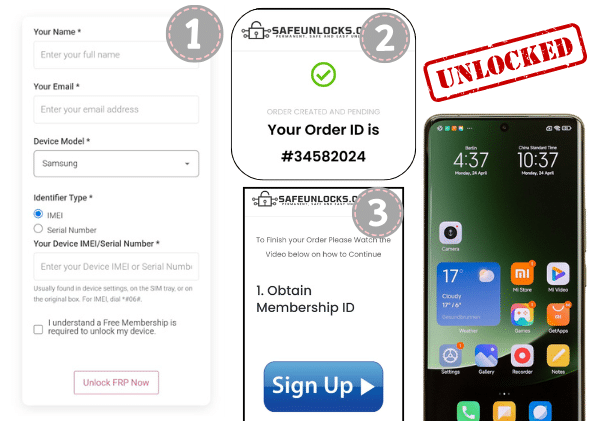
To start the process, you only need to complete some simple steps, like filling out some info such as your name, email, Redmi or Xiaomi device model, and the IMEI or serial number of that smartphone. With that, we will create an order for your request, and to activate it, you only need to obtain the membership ID we will send to your email. This ID will facilitate the creation of a dummy ID that will work to remove the FRP lock. 

Use Here the Best Method to FRP Unlock Redmi Devices

What to Do After Successfully Unlocking Xiaomi FRP with SafeUnlocks?
What to Do After Successfully Unlocking Xiaomi FRP with SafeUnlocks?

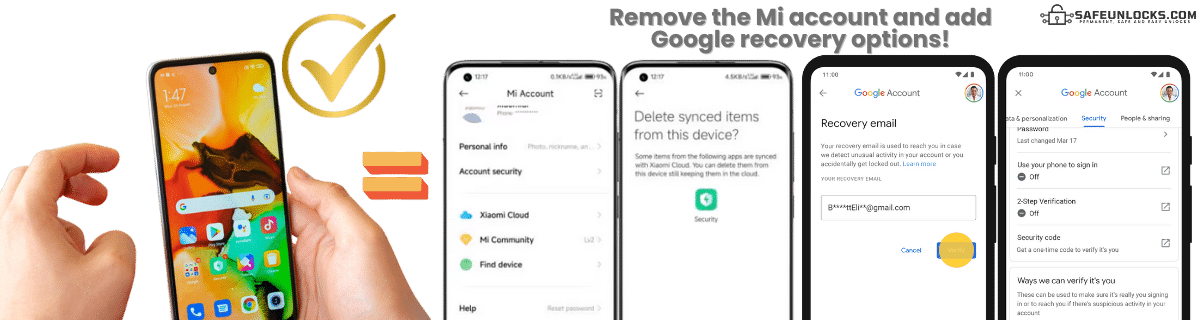
After successfully unlocking your Redmi using SafeUnlocks, it’s important to make sure the phone is working and complete the device setup. In this case, you can sign in with a new Google account or not add any at the moment until you are done with the setup wizard. Next, check if a Mi Account is still linked by going to Settings > Mi Account. If it is, and you have access to the credentials, sign out.

Once you make sure the phone is clean and there’s no other account that can trigger the FRP, add your personal Google and Mi accounts, and make sure to add verification numbers or questions so that the next time you don’t remember the password, it will be easier to recover it. With that, your Redmi or Xiaomi phone will be ready to be used again without so many issues. 

FRP Unlock Service

Identifier Type *

You can find your IMEI by dialing *#06# on your device or in Settings → General → About.

How to compare Redmi FRP (Factory Reset Protection)

Factory Reset Protection exists so a wiped Android phone cannot be used by the next person without the previous account. For Redmi FRP (Factory Reset Protection), a working personal backup or brand support ticket is the clean path. Tool ads skip that context.

Redmi still controls the source record for this lock type. A comparison page cannot replace that desk. Use it to see which shops disclose the same limits the official policy already states in 2026.

Before you compare shops for Redmi FRP (Factory Reset Protection), collect the 15-digit IMEI (dial *#06#), a photo of the exact lock screen, and proof you are allowed to request a change. The IMEI format helper at /random-imei-generator-online is only for checking digit layout. It does not create a live identity for a real phone.

This URL is a 2026 comparison article, not a checkout for SafeUnlocks labor. Partner forms, if present, belong to the services being compared. Keep receipts and policy pages from those parties, not from a brand claim that ā€œwe unlockā€ this handset.

Treat the body below as source material from the original guide, and treat this briefing as the portal layer. Together they should tell you whether Redmi FRP (Factory Reset Protection) is a SIM issue, an account lock, or a database flag before you leave the FRP guides.

Model-specific copy on Redmi is here because FRP overlays, iCloud screens, and carrier apps are not identical across brands. Match the lock screen you have to FRP (Factory Reset Protection) before you follow a different brand’s guide.

Mixing lock types is how people buy a carrier unlock for an iCloud screen. Redmi FRP (Factory Reset Protection) is labeled frp so the related links stay in family. Leave the page if the device is showing a different lock.

Red flags when you compare Redmi FRP (Factory Reset Protection) listings in 2026: guaranteed success with no IMEI check, ā€œone tapā€ claims, and copy that never names the lock type. Prefer shops that state refund rules, processing windows, and what happens if the official desk refuses the request.

Plan Redmi FRP (Factory Reset Protection) as a request with a queue, not a download. If the lock is frp, the clock starts when the party that owns the record accepts the case, not when you paste an IMEI into a form.

Ownership and payoff sit above lock type. Confirm both before you compare prices for Redmi FRP (Factory Reset Protection). A cheap quote on a financed or reported device is not a bargain; it is a mismatched offer.

You now have a 2026 briefing for Redmi FRP (Factory Reset Protection): lock family, official desk, checks, and the red flags that show up in ads. Continue into the original guide below and the related FRP guides when you want a sibling country or brand. Stay on the lock type you actually have.