
Skip to content

Leading FRP Unlock Service Tool | Google Pixel

Fast & Reliable Blacklist Unlock Service

Unlock your Samsung or any Android device in just minutes with SafeUnlocks, your go-to online service for fast and reliable FRP unlocks. Whether you’ve forgotten your Google account details or your device is locked due to FRP, we’ve got you covered. SafeUnlocks ensures a smooth and secure unlocking experience, tailored to your needs!

Before you try to FRP unlock your Google Pixel device, it is crucial to understand why this lock happens and how you can prevent it in the future. Additionally, we want to show you another alternative that can help you FRP unlock a Google Pixel online called SafeUnlocks. So, keep reading, as in this article, we will answer all your questions and provide several solutions so you can try them all before settling down on one. Let’s begin!

Are Google Pixel Phones more Difficult to Unlock than other Android Devices?
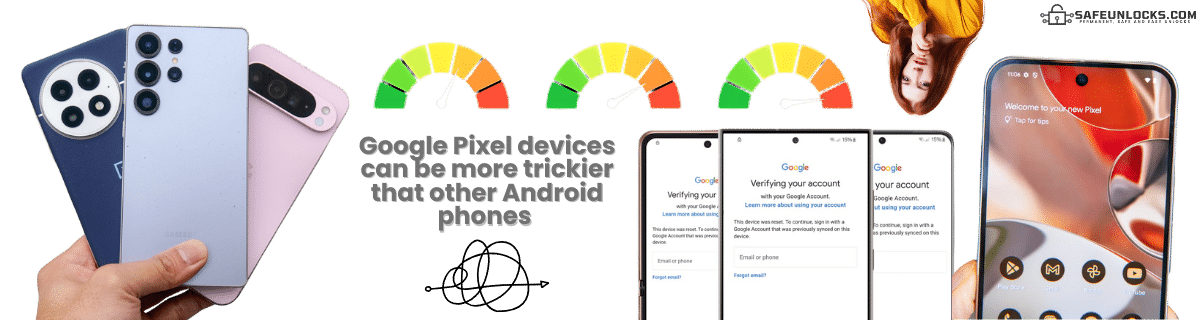
Are Google Pixel Phones more Difficult to Unlock than other Android Devices?

It’s not necessarily difficult, but Google Pixel runs stock Android, and that one always includes the latest FRP security patches… meaning that most bypass tricks (TalkBack, emergency dialer, web redirects) are patched quickly or never work at all. There’s also the fact that Google doesn’t have any official tools (like some Android manufacturers) to bypass FRP, so you will need to use FRP bypass APKs, programs, or third-party tools like SafeUnlocks.
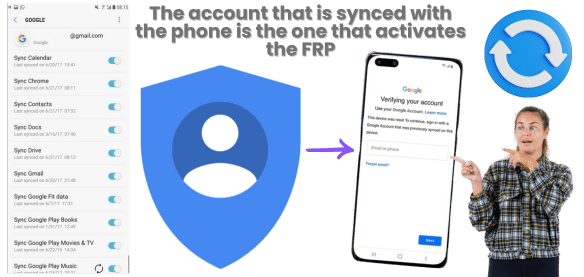

Is Google Pixel Tied Directly to the Last Synced Google account?

Yes, Google Pixel is tightly tied to the last Google account used on the phone, so if you have more than one account and change them regularly, you will need to try them all if you get FRP locked. Also, because of this, FRP is enforced more strictly than on many other Android devices, as Google has several ways to prevent exploits, and if you didn’t enable the bootloader as well before the reset, then it will be almost impossible to recover the phone (unless you use methods like SafeUnlocks).

Is Google Pixel Tied Directly to the Last Synced Google account?

How to Prevent FRP Lock from Activating Again?

Choose your approach based on device usage plans

Planning to Reset Device

  • 1
  • 2
    Enable verification for password recovery
  • 3
    Enable bootloader for advanced access

Keeping Device Active

  • 1
    Create backup Google account with known credentials
  • 2
    Sync backup account to main account
  • 3
    Add recovery phone number & email

⚠️ Warning: Your phone will have limitations since the account is linked to apps and services. Google uses this to protect Android devices.

Recommended Approach

This maintains full device functionality while ensuring you always have access credentials.

So, if you don't plan to restart the phone anytime soon, you can instead create a new Google account that you have the credentials for and sync it to the main one; that way, if something happens, you still have access to the phone. Additionally, as previously mentioned, it is better to add recovery methods to that email, like a phone number or recovery email, to get an authentication code in case something happens to the account.

To use Old Bypass Google Pixel FRP Tools, you will need an Old Android Version

Android versions 8, 9, and early 10 had more loopholes that bypass tools can exploit. However, since many Google Pixel phones update automatically, finding old models with old versions is pretty difficult. Flashing old firmware is an option, but it is risky, and if you already have the FRP enabled because of a factory reset, it is impossible to do it then. Still, don’t forget to check your Android version before you try to bypass Google FRP to ensure it is compatible.

How Long Does the FRP Unlock Process Take?

The factory reset protection bypass time can vary depending on what you do to regain access to the phone. For instance, if you can recover the Google account credentials, it can only take a couple of hours. For other bypass FRP lock tools like installation programs or APKs, it can take several hours or even a day, depending on how you use it and the method to remove this security feature, as many programs need some time to bootload the device or make changes to make the bypass.

Now, if you use tools like SafeUnlocks to remove FRP, you have a great advantage, as the whole process only takes up to 15 minutes. No need for downloads, special cables, or a PC. Just access the site, follow the instructions, and remove the FRP on Google Pixel for only $2.

How Long Does the FRP Unlock Process Take?

🛡️
Are Online FRP Unlock Services like SafeUnlocks Trustworthy?

Yes, we are one of the safest alternatives to remove FRP lock on Google Pixel. We are a trustworthy site that is 100% regulated and complies with all necessary policies to operate. We also manage security layers to protect users' information and ensure that the unlock is done on any Android phone. Our process is easy to follow, and we don't ask for unnecessary info in order to complete the request.

🏆

Trust Indicators

  • 100% Regulated

  • 🔒

    OWASP Security

  • 📱

    Any Android Device

  • 🚀

    Simple Process

  • 🔐

    Minimal Info Required

Is SafeUnlocks able to FRP Unlock Google Pixel?
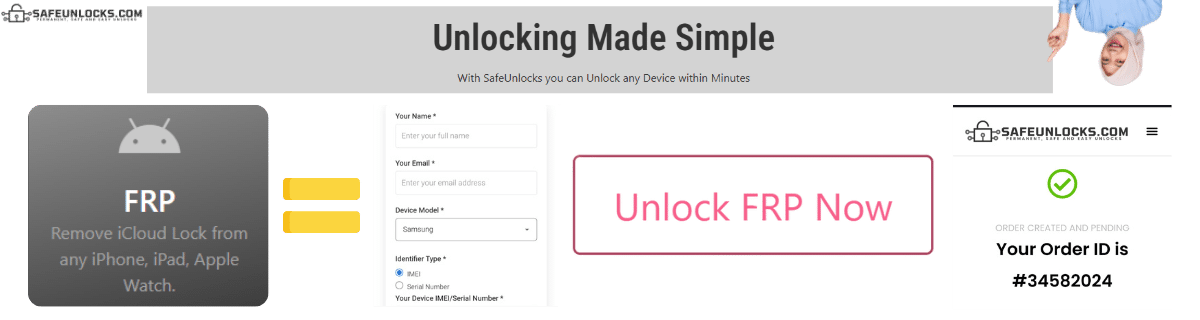
Is SafeUnlocks able to FRP Unlock Google Pixel?

Yes, of course! We can unlock and FRP bypass any Android Pixel device with any Android version! You just need to register on our site, and we will take care of the rest. Bring your Google Pixel 6 or Google Pixel 9 here without issues and use the same tool for all of them without restrictions. So, what are you waiting for? Remove this security feature on Android devices easily and securely with SafeUnlocks. To create your order you need to enter the following info: Name, email, model and IMEI number. 

When we create the order, you will need to activate it with a membership ID that is delivered to your email once you complete the registration process with us. Once you get that ID, you only need to enter it on our site, and the rest will be handled by our servers. What they do is create a dummy ID based on your IMEI, and with that you will regain access to the phone while at the same time remove the FRP account. 

FRP Unlock Service

Identifier Type *

You can find your IMEI by dialing *#06# on your device or in Settings → General → About.

How to compare Google Pixel FRP (Factory Reset Protection)

If a Samsung, Xiaomi, or other Android device loops on the Google login after a reset, that is FRP. This Google Pixel FRP (Factory Reset Protection) page is a comparison of recovery options, not a promise that every lock can be cleared.

Google account recovery and the brand’s support channel (Google Pixel) are the official FRP desks. A PC “tool” listing is a separate, riskier category. Put the official answer next to the listing before you compare price.

Three artifacts stop most wasted orders: the IMEI, the on-screen lock wording, and account-holder proof. For Google Pixel FRP (Factory Reset Protection), skip any checkout that will not say which of those it needs. Use /random-imei-generator-online only to understand IMEI length and checksum shape.

Read “FRP Unlock Google Pixel with the Fastest Bypass Way in 2025!” as a briefing. SafeUnlocks recommends and compares. Any paid work happens off this site with the party you choose after you have the lock type and the official rules in hand.

Use this page in three passes: confirm the lock type matches Google Pixel FRP (Factory Reset Protection), read the official path, then open the related FRP guides for the same family. Internal links on this URL are there so you stay inside the right lock bucket instead of bouncing to a random how-to.

Google Pixel does not get a special SafeUnlocks “master code.” It gets a clearer comparison of FRP (Factory Reset Protection) options that mention this brand’s support paths and known policy quirks.

Keep four buckets separate while you read about Google Pixel FRP (Factory Reset Protection): carrier SIM lock, iCloud or Google account lock, PUK on the card, and IMEI blacklist. This URL is filed under frp. If the on-screen text belongs in another bucket, switch to that hub instead of forcing this page to answer it.

If a Google Pixel FRP (Factory Reset Protection) ad uses “leading provider” language and hides the operator policy, score it down. Comparison means you can place that listing next to the official desk and see the gap.

Keep a dated note of when you asked Google Pixel FRP (Factory Reset Protection) to be reviewed. That stamp is more useful than a marketing countdown. SafeUnlocks will not invent a publish date or a turnaround to make the page look fresher.

An unpaid balance, lease, or insurance claim can block Google Pixel FRP (Factory Reset Protection) even when the hardware is in your hands. That hold is a billing or police record, not a missing unlock code. Comparison copy that skips finance status is incomplete.

If this briefing and the older body copy disagree on tone, trust the lock-type split and the official-desk rule. Google Pixel FRP (Factory Reset Protection) should still be compared, not purchased as a mystery SKU from a banner.