
Skip to content

Leading FRP Unlock Service Tool | POCO

Fast & Reliable Blacklist Unlock Service

Unlock your Samsung or any Android device in just minutes with SafeUnlocks, your go-to online service for fast and reliable FRP unlocks. Whether you’ve forgotten your Google account details or your device is locked due to FRP, we’ve got you covered. SafeUnlocks ensures a smooth and secure unlocking experience, tailored to your needs!

Here at SafeUnlocks, we are committed to the task and purpose of helping our users understand what FRP is and how it can affect their Poco phones. In this article, we will guide you and anyone else who wants to know the disadvantages of this lock and how you can FRP unlock Poco with some of the best options, so you can try them all at any moment. So, if you are interested in this topic and want to finally unlock your device and do it safely, this is your place to do so!

🔒
How does the Google Factory Reset Protection work on Poco Devices?

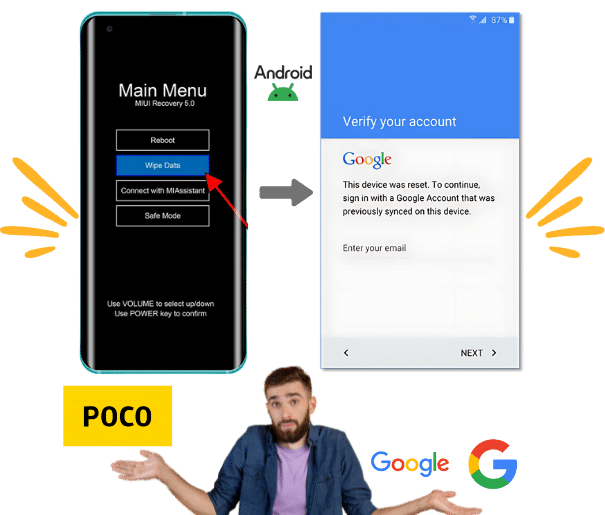
It all starts when you perform a factory reset on a Poco phone, because the device requires you to log in with the Google account that was previously synced to the device. This is known as FRP lock, a security feature implemented on all Android devices to ensure no one else besides you has access to the phone's main screen. The phone remains locked and unusable if you cannot provide the correct Google account credentials.

How Does Factory Reset Protection Work on Poco Devices?

Can Something Else besides the FRP Lock restrict the use of the Phone?

Yes, besides the FRP, if you set up an MI account on the device, it can be locked if you perform a factory reset. To unlock or bypass it, you will also need the credentials or some other specialized tools (FRP tools don’t count, as they are for Google). It is basically an extra security layer implemented for MI devices, and it also turns off apps on Android (just like the FRP disables Google Play services) and any other exploit that might affect access to the phone.

How Do I Know If FRP Is Enabled on My Poco?
How Do I Know If FRP Is Enabled on My Poco?

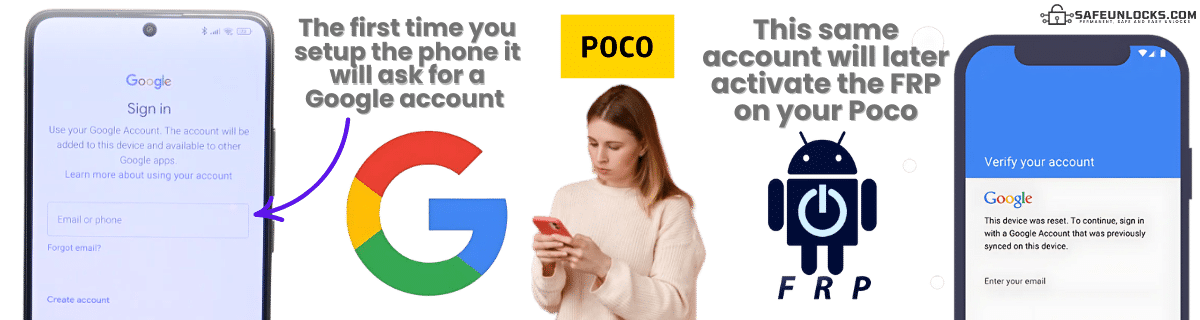
The FRP is automatically enabled when a Google account is added to the device and the screen lock (PIN, pattern, password) is active. So, if you forget the PIN and do a reset, the FRP will appear and ask for the Google account verification. If you want, you can also tap on the option that says “go to application settings,” and under accounts, you should be able to see the Google account associated with the Poco.

There, if you want, you can add a new account you know the password for or eliminate your current one, so you can factory reset the device without issues later. Don’t forget to check if you also have an MI account and disable it as well, so there’s no additional lock once you reset the device!
What are the most Common Issues During FRP Unlock on Poco?

Since there are many methods to bypass Google accounts and FRP bypass tools, it is pretty common to find certain issues that can affect your device or the process. In this section, we will name them so you can take them into consideration if you plan to use one of those bypass FRP lock tools (unless you use SafeUnlocks, which doesn't do anything weird to your Poco).

Medium

Stuck on "Verify Account" Screen

Phone reset without removing the linked Google account.

Medium

Mi Account Lock Still Active

Device still tied to a Mi Account (Poco's own security layer).

High Risk

Soft-Bricking

Boot loop or freezing from improper tools corrupting the system.

High Risk

Incompatible or Fake FRP Tools

Outdated APKs that don't work on newer MIUI versions, or are malware.

Low

USB Debugging Not Enabled

Cannot use ADB-based bypass tools if USB debugging wasn't turned on before reset.

High Risk

Permanent Lock from Too Many Attempts

Google can lock the account or device if you try bad passwords too many times.

Are Older Poco Phones Easier to Unlock?

Technically, they are, but only because they don’t have all the security updates necessary to avoid exploits or use APKs. So, many bypass Google FRP lock tools and tricks like TalkBack, emergency dialer, or bypass APK can still work… However, it has to be a really old Android version, like 7 or 9. Still, keep in mind that it can still affect your device, and there is no guarantee that it will bypass Google verifications effectively.

Are there FRP Unlock Tools for Specific Poco Models?

Are there FRP Unlock Tools for Specific Poco Models?

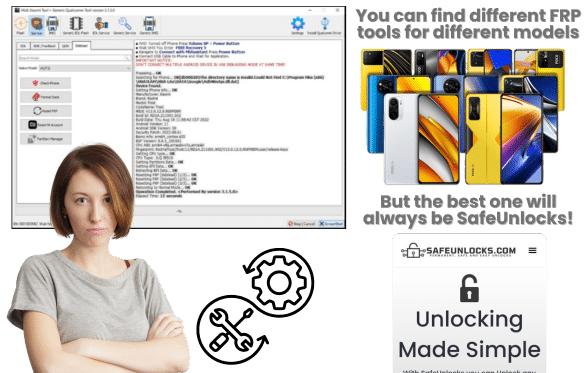
That’s correct; since many Android and MIUI versions are available, there are many ways to bypass FRP on Poco. The only issue is that all of them are third-party, and some might require a PC or special cables. Also, it is worth saying that recent Android versions have been patching all types of tools and methods to bypass FRP, so they might not work properly or remove Google locks at all now.

So, instead of looking to bypass the Google account from your device, why not use a tool that can unlock it without doing anything or flashing the device? It’s called SafeUnlocks, a great alternative for all Poco mobile devices that can remove the FRP in minutes for any model by just completing a few steps that don’t require you to mess with the Google Play Services app.

📱

Can I Unlock FRP on a POCO Phone without a PC?

No PC Required

Yes, you can; for this, you recover the Google password with their recovery method or use online tools like SafeUnlocks. So, if you don't know much about cables or installation programs, you still have alternatives available to bypass Google account verification. If you want to know how to recover your password online with Google, then follow these simple steps (for SafeUnlocks, we will mention the process in the next section!).

No cables needed
No software installation
Beginner-friendly options

Bypass and FRP Unlock Poco Devices with SafeUnlocks!
Bypass and FRP Unlock Poco Devices with SafeUnlocks!

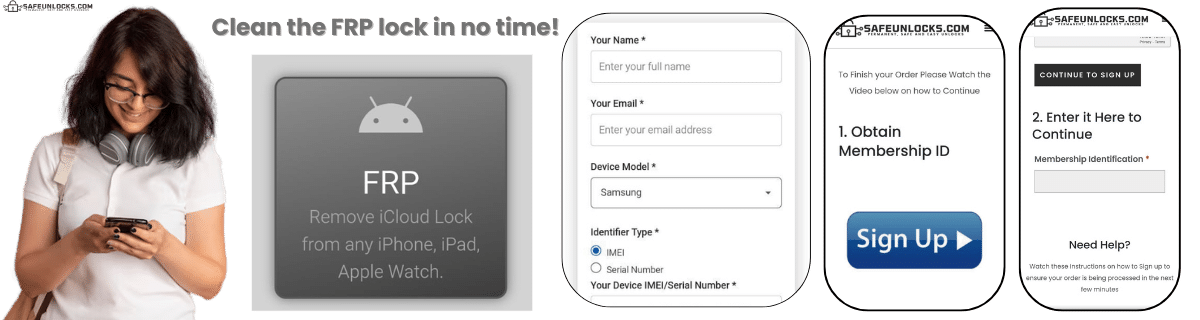
To successfully bypass the POCO FRP lock without passwords or other installation methods, you only need to go to SafeUnlocks and provide the following information: name, email, model, and IMEI or serial number. With this, we will create a request and an order that can be activated once you obtain your membership ID with us (this process is completed by registering on the site).

Once you are done with that part and have the ID, you need to enter it on our page, and we will send another email with a dummy ID credential. This is basically a temporary email and password created from your IMEI or serial number that will allow you to have access and add a new account or complete the main setup of the phone without the FRP.

FRP Unlock Service

Identifier Type *

You can find your IMEI by dialing *#06# on your device or in Settings → General → About.

How to compare Poco FRP (Factory Reset Protection)

If a Samsung, Xiaomi, or other Android device loops on the Google login after a reset, that is FRP. This Poco FRP (Factory Reset Protection) page is a comparison of recovery options, not a promise that every lock can be cleared.

Google account recovery and the brand’s support channel (Poco) are the official FRP desks. A PC “tool” listing is a separate, riskier category. Put the official answer next to the listing before you compare price.

Three artifacts stop most wasted orders: the IMEI, the on-screen lock wording, and account-holder proof. For Poco FRP (Factory Reset Protection), skip any checkout that will not say which of those it needs. Use /random-imei-generator-online only to understand IMEI length and checksum shape.

Read “How to FRP Unlock Poco Phones—No PC, No Installation Tools!” as a briefing. SafeUnlocks recommends and compares. Any paid work happens off this site with the party you choose after you have the lock type and the official rules in hand.

Use this page in three passes: confirm the lock type matches Poco FRP (Factory Reset Protection), read the official path, then open the related FRP guides for the same family. Internal links on this URL are there so you stay inside the right lock bucket instead of bouncing to a random how-to.

Poco does not get a special SafeUnlocks “master code.” It gets a clearer comparison of FRP (Factory Reset Protection) options that mention this brand’s support paths and known policy quirks.

Keep four buckets separate while you read about Poco FRP (Factory Reset Protection): carrier SIM lock, iCloud or Google account lock, PUK on the card, and IMEI blacklist. This URL is filed under frp. If the on-screen text belongs in another bucket, switch to that hub instead of forcing this page to answer it.

If a Poco FRP (Factory Reset Protection) ad uses “leading provider” language and hides the operator policy, score it down. Comparison means you can place that listing next to the official desk and see the gap.

Keep a dated note of when you asked Poco FRP (Factory Reset Protection) to be reviewed. That stamp is more useful than a marketing countdown. SafeUnlocks will not invent a publish date or a turnaround to make the page look fresher.

An unpaid balance, lease, or insurance claim can block Poco FRP (Factory Reset Protection) even when the hardware is in your hands. That hold is a billing or police record, not a missing unlock code. Comparison copy that skips finance status is incomplete.

If this briefing and the older body copy disagree on tone, trust the lock-type split and the official-desk rule. Poco FRP (Factory Reset Protection) should still be compared, not purchased as a mystery SKU from a banner.