

Unlock your Xiaomi or Android device fast with SafeUnlocks — the trusted online FRP bypass service that gets you back in within minutes. For just $2, you can remove frustrating Google lock screens without technical skills or expensive tools. Don’t waste time or risk damaging your device — unlock it today for less than a cup of coffee.
Getting rid of an FRP lock screen on Xiaomi can be very annoying for some users, especially if they are not really familiar with how it works or how to fully use their devices. They might think they need to take it to a technician or their carrier, but in reality, it is simpler. SafeUnlocks knows that and wants to help users regain access to their devices, so we have decided to create this special guide so you or anyone else can know how to FRP unlock Xiaomi at any moment.
It doesn’t matter if this is the first time you have encountered this issue or if you really don’t have access to your Google account credentials anymore; we are going to assist you in the best way possible. Try our online FRP bypass tool solution and enjoy your phone without restrictions!
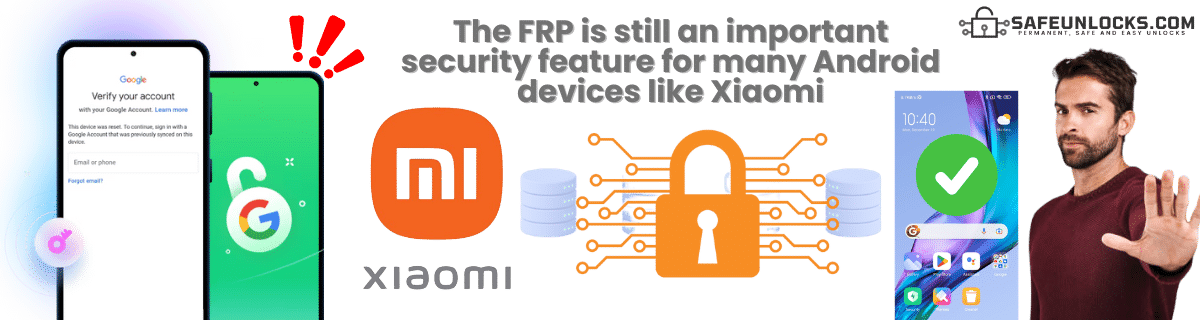
Because it is part of their security features, and since they are associated with Android, they can implement the FRP on their devices to protect them from theft, data leaks, and unauthorized access. It works the same as any FRP lock for Android devices, as after a reset, the phone will still require the Google account credentials (and, in some cases, the Mi Account) that were previously used on the device to regain full access.
Yes, new Mi devices still have this option available by default, so it is still necessary to add a new account when you set up the phone for the first time. Additionally, Xiaomi may ask you to also create a Mi Account as an extra layer of security, as you can also do backups there and use it as a way to prevent unauthorized access to your data, basically like a second FRP lock in case something happens to the smartphone.
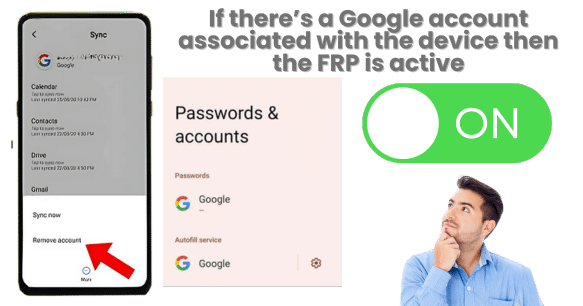
Technically, yes, but keep in mind that it is not a literal “FRP Status” toggle. You need to check the FRP lock on Xiaomi to see if the Google or Mi account is still active on the phone. For that, you can go to Settings > Accounts & sync > Google. If you see a Google account listed here, FRP will trigger after a reset unless it’s removed.
Also, in this case, if you are going to reset it, it is better to do it from the device menu and not the recovery mode. If you do the factory reset from the recovery menu instead of the settings, Android assumes the device was taken away and triggers FRP.
Besides Google recovery mode, many FRP unlock tools exist - from online services like SafeUnlocks to PC installation programs. Each has different methods depending on your needs.
Our recommendation: Always check the process before starting and verify site security. APKs are no longer recommended for bypassing Google account verification.
Because, thanks to their MIUI security updates, Xiaomi and modern Android versions block those APK FRP bypass methods. They know that people had access to their menus, settings, and file managers to install these FRP tools, so they decided to disable apps on Android when the FRP is active and also remove the Google Play Services app until you enter the credentials to unlock your Android phone.
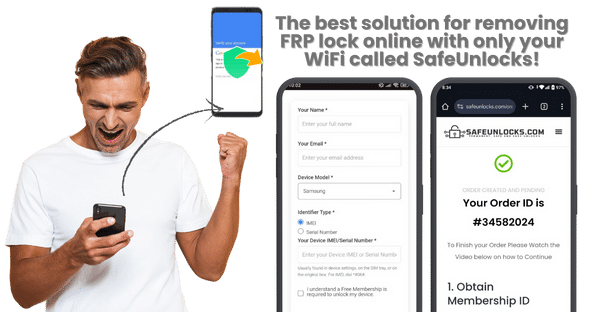
Yes, you can! And the best way to bypass FRP locks with only Wi-Fi and a browser is with SafeUnlocks services! We are one of the most popular and safe Xiaomi FRP bypass tools, and we will be glad to help you remove the old Google account from your device at any moment and delete the FRP in just 15 minutes.
No need to install anything or get special cables and devices to remove FRP locks! Just open your favorite browser, type SafeUnlocks.com, and click on FRP on the main page. You will be ready to start the process right away with the best online service of them all.
We are server-based, meaning that all our requests are managed by specialized servers that were created to remove all types of locks on a smartphone. When the order for the FRP removal comes up on our servers, they process the data you enter and provide the necessary dummy ID to remove the Google FRP lock, using an easy process so anyone can use it, even if they are not that skilled with their smartphones.
To say goodbye to the FRP lock on your Xiaomi, please follow these simple steps. Don't worry if you get lost; we also have a guide below the procedure and a video tutorial in case you need something else!
That's it! The moment you bypass the FRP screen, it will no longer ask for more credentials or trigger the FRP until you set up a new account or recover the old one. Now you have full access again and can manage the device normally.
No, updating the device will not allow you to bypass FRP without the original account credentials. When you update the phone, it installs newer security patches and system updates, and FRP remains active if a Google account is still linked to the device.
It is still possible, but keep in mind that you can have some issues depending on the damage. For instance, if the tactile option is not working fully, you might experience problems inputting the credentials or even the dummy ID from SafeUnlocks. If you are going to use programs because of the screen, you also need to make sure USB debugging is enabled; otherwise, it won’t work either.
Yes, since each new MIUI or Android update fixes known FRP bypass vulnerabilities and blocks certain tools, APKs, and USB exploits that used to work, it is recommended to see what software version you have and verify if the Xiaomi FRP lock tools you are looking for are compatible with that version.
It can be considered one of the most difficult, as Xiaomi is always making sure to patch any exploits and update their devices constantly. Also, with the addition of the Mi Account, some old tricks might not work anymore, making it more difficult to try to remove the FRP without any programs or tools.