Leading FRP Unlock Service Tool | Google Pixel

Leading FRP Unlock Service Tool | Google Pixel

Fast & Reliable Blacklist Unlock Service

Unlock your Samsung or any Android device in just minutes with SafeUnlocks, your go-to online service for fast and reliable FRP unlocks. Whether youโ€™ve forgotten your Google account details or your device is locked due to FRP, weโ€™ve got you covered. SafeUnlocks ensures a smooth and secure unlocking experience, tailored to your needs!

Before you try to FRP unlock your Google Pixel device, it is crucial to understand why this lock happens and how you can prevent it in the future. Additionally, we want to show you another alternative that can help you FRP unlock a Google Pixel online called SafeUnlocks. So, keep reading, as in this article, we will answer all your questions and provide several solutions so you can try them all before settling down on one. Let’s begin!

Are Google Pixel Phones more Difficult to Unlock than other Android Devices?

Are Google Pixel Phones more Difficult to Unlock than other Android Devices?

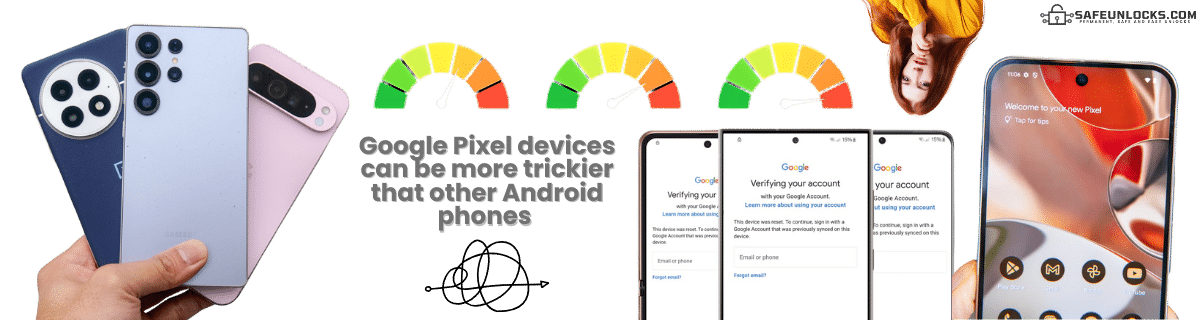
It’s not necessarily difficult, but Google Pixel runs stock Android, and that one always includes the latest FRP security patches… meaning that most bypass tricks (TalkBack, emergency dialer, web redirects) are patched quickly or never work at all. There’s also the fact that Google doesn’t have any official tools (like some Android manufacturers) to bypass FRP, so you will need to use FRP bypass APKs, programs, or third-party tools like SafeUnlocks.

Is Google Pixel Tied Directly to the Last Synced Google account?

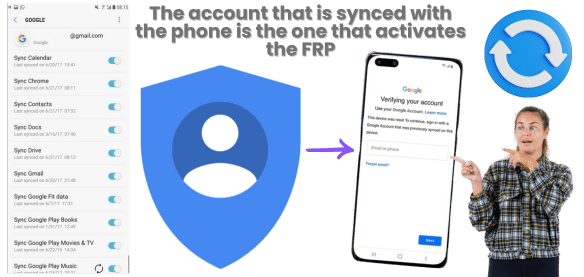
Yes, Google Pixel is tightly tied to the last Google account used on the phone, so if you have more than one account and change them regularly, you will need to try them all if you get FRP locked. Also, because of this, FRP is enforced more strictly than on many other Android devices, as Google has several ways to prevent exploits, and if you didn’t enable the bootloader as well before the reset, then it will be almost impossible to recover the phone (unless you use methods like SafeUnlocks).

Is Google Pixel Tied Directly to the Last Synced Google account?

How to Prevent FRP Lock from Activating Again?

Choose your approach based on device usage plans

Planning to Reset Device

  • 1
  • 2
    Enable verification for password recovery
  • 3
    Enable bootloader for advanced access

Keeping Device Active

  • 1
    Create backup Google account with known credentials
  • 2
    Sync backup account to main account
  • 3
    Add recovery phone number & email

โš ๏ธ Warning: Your phone will have limitations since the account is linked to apps and services. Google uses this to protect Android devices.

Recommended Approach

This maintains full device functionality while ensuring you always have access credentials.

So, if you don't plan to restart the phone anytime soon, you can instead create a new Google account that you have the credentials for and sync it to the main one; that way, if something happens, you still have access to the phone. Additionally, as previously mentioned, it is better to add recovery methods to that email, like a phone number or recovery email, to get an authentication code in case something happens to the account.

To use Old Bypass Google Pixel FRP Tools, you will need an Old Android Version

Android versions 8, 9, and early 10 had more loopholes that bypass tools can exploit. However, since many Google Pixel phones update automatically, finding old models with old versions is pretty difficult. Flashing old firmware is an option, but it is risky, and if you already have the FRP enabled because of a factory reset, it is impossible to do it then. Still, don’t forget to check your Android version before you try to bypass Google FRP to ensure it is compatible.

How Long Does the FRP Unlock Process Take?

The factory reset protection bypass time can vary depending on what you do to regain access to the phone. For instance, if you can recover the Google account credentials, it can only take a couple of hours. For other bypass FRP lock tools like installation programs or APKs, it can take several hours or even a day, depending on how you use it and the method to remove this security feature, as many programs need some time to bootload the device or make changes to make the bypass.

Now, if you use tools like SafeUnlocks to remove FRP, you have a great advantage, as the whole process only takes up to 15 minutes. No need for downloads, special cables, or a PC. Just access the site, follow the instructions, and remove the FRP on Google Pixel for only $2.

How Long Does the FRP Unlock Process Take?

๐Ÿ›ก๏ธ
Are Online FRP Unlock Services like SafeUnlocks Trustworthy?

Yes, we are one of the safest alternatives to remove FRP lock on Google Pixel. We are a trustworthy site that is 100% regulated and complies with all necessary policies to operate. We also manage security layers to protect users' information and ensure that the unlock is done on any Android phone. Our process is easy to follow, and we don't ask for unnecessary info in order to complete the request.

๐Ÿ†

Trust Indicators

  • โœ“

    100% Regulated

  • ๐Ÿ”’

    OWASP Security

  • ๐Ÿ“ฑ

    Any Android Device

  • ๐Ÿš€

    Simple Process

  • ๐Ÿ”

    Minimal Info Required

Is SafeUnlocks able to FRP Unlock Google Pixel?

Is SafeUnlocks able to FRP Unlock Google Pixel?

Yes, of course! We can unlock and FRP bypass any Android Pixel device with any Android version! You just need to register on our site, and we will take care of the rest. Bring your Google Pixel 6 or Google Pixel 9 here without issues and use the same tool for all of them without restrictions. So, what are you waiting for? Remove this security feature on Android devices easily and securely with SafeUnlocks. To create your order you need to enter the following info: Name, email, model and IMEI number.ย 

When we create the order, you will need to activate it with a membership ID that is delivered to your email once you complete the registration process with us. Once you get that ID, you only need to enter it on our site, and the rest will be handled by our servers. What they do is create a dummy ID based on your IMEI, and with that you will regain access to the phone while at the same time remove the FRP account.ย 

To use our site, you need to complete a quick form with your device’s name, email, model, and IMEI or serial number. This info will create an order that allows you to register with us and obtain the membership ID and dummy ID to remove the lock on your Google Pixel. Once you enter the dummy ID credentials, the screen lock will disappear, and there, you should be able to add a new account to activate the Google verification.

Technically, yes, but only if you don’t have any way to contact the previous owner. Methods like SafeUnlocks can help, but we still recommend trying to get the old credentials to ensure the safety and transparency of your device.

You can start by waiting 24โ€“72 hours, as Google may temporarily lock the device after multiple tries. If you don’t want to wait, then restart the phone and try again, or use the Google Account Recovery page to regain access.