Skip to content

How to remove activation lock without previous owner

Are you looking for a way to remove activation lock without previous owner? Then this is the article for you! We will explain how to remove activation lock from an iOS device using SafeUnlocks’ online unlocking tool. This is a permanent unlock which will remove the iCloud activation lock screen, this process will only take from 3-5 minutes once your understand it.

How to remove activation lock without previous owner
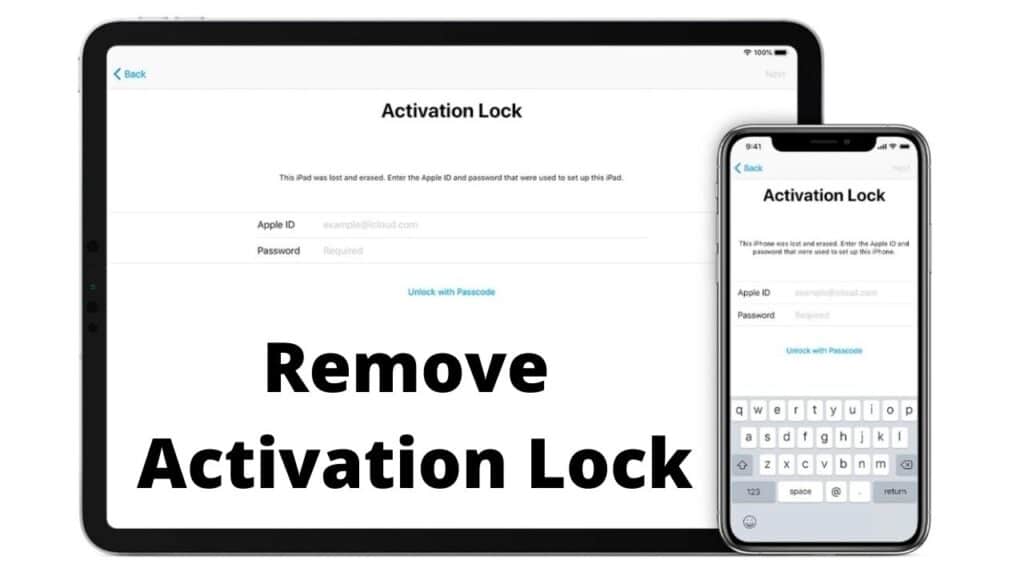
Easy iOS unlock
Follow up this tutorial

The first thing that you need to know is that removing the icloud lock using SafeUnlocks does not require any sort of software. Meaning, you can use our online services from any device as you will only be asked for a browser and an internet connection.

Get started

Before you start the activation lock removal, you need to understand how the whole process works. This will ensure that you can remove the previous owner apple id sucessfully in just minutes. As we mentioned before you will need a browser and an internet connection. On top of that you will need some information in order to get the unlocking.

Information needed

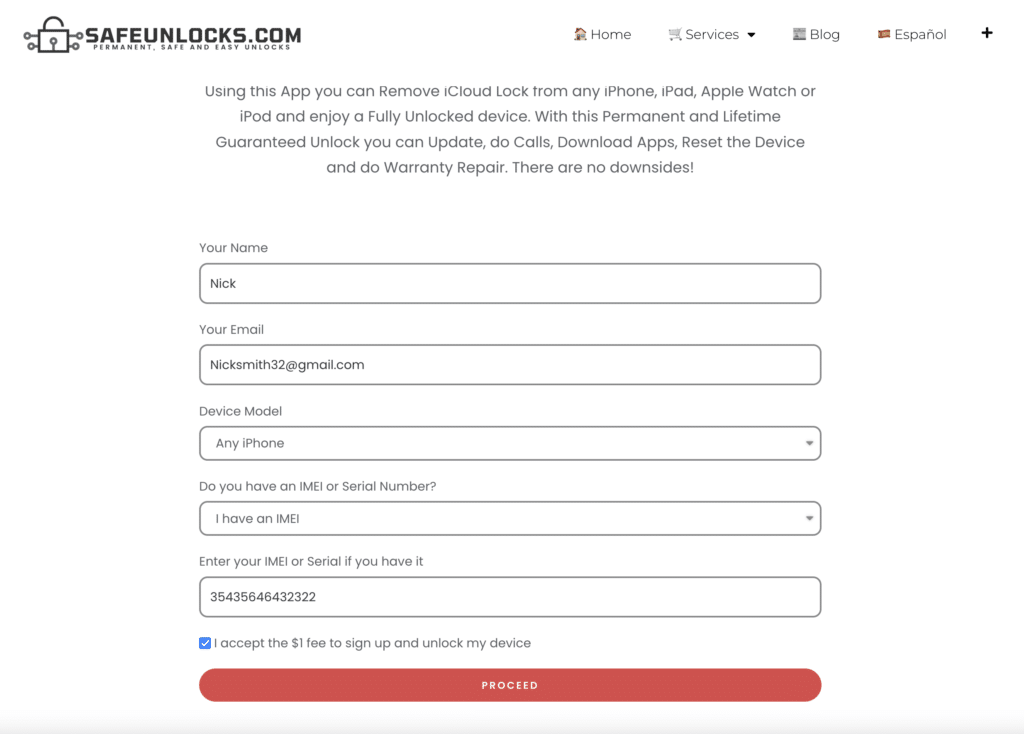
Please make sure to fill out the information correctly on the form as this is needed to remove icloud activation lock on the correct iOS device. Have the following information with you while doing the process:

  • Name
  • Email
  • Device model (iPhone, iPad, iPod or Apple Watch)
  • IMEI Number or Serial Number

Verify that the information is correct before submitting your request, as this will help avoid any issues caused by an incorrect email or IMEI.
Screenshot 2026 01 16 at 9.23.47 PM
How to remove activation lock without previous owner 8

How to get IMEI or Serial Number?

For this specific case we will assume you are on the iCloud activation lock screen. To get your IMEI or Serial Number, you will need to press the sleep button once and turn it back on again. Once the device is turned on, find the “i” icon on the bottom right of the screen, this will send you to a screen where all information of the device is displayed.

Get a membership ID

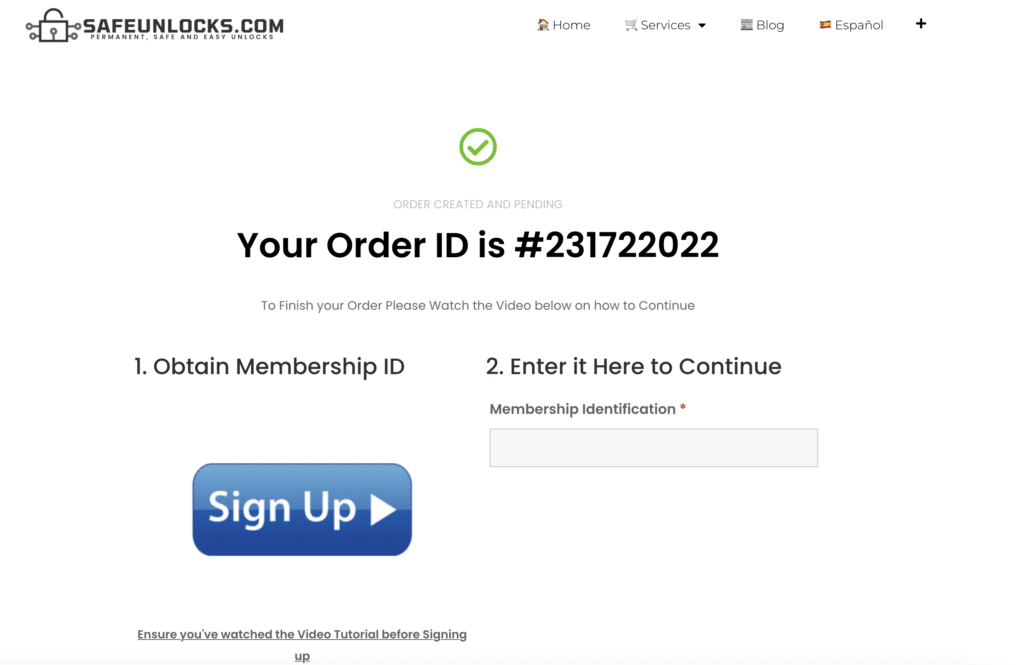
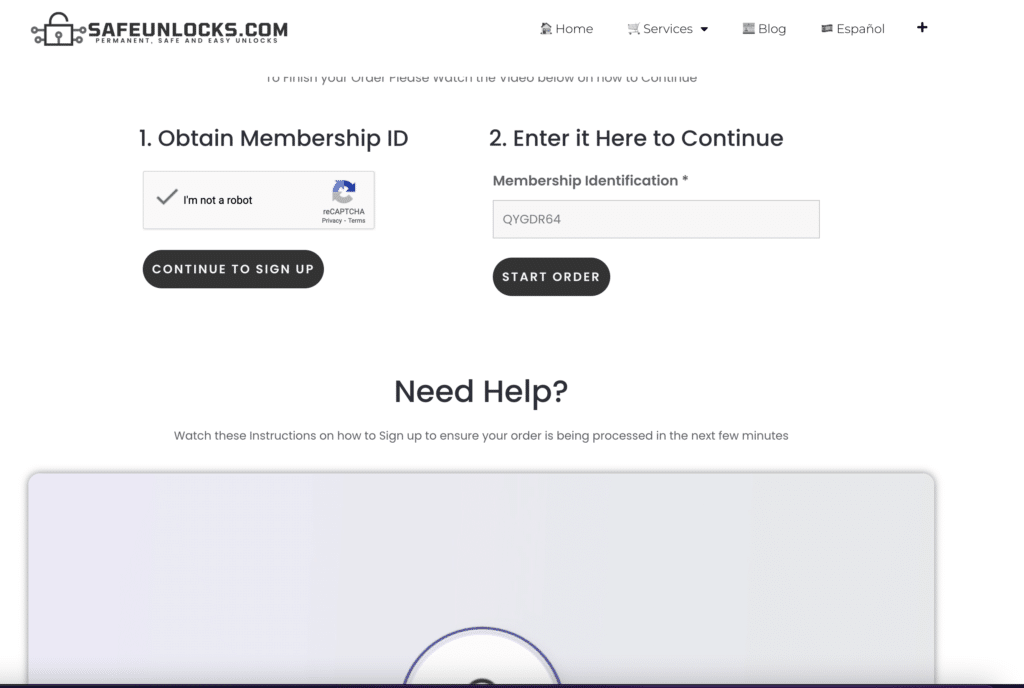
Once you double check all information on the form, simply press the proceed button. You will get an unique order with the information submitted on the request. To activate this order you will be asked to get a membership ID. You will find a video on the order page that will solve all your doubts on how to do the process.
Easy unlocks
Obtain a $1 membership

Activate your order

Once you are done with the sign up process, you will receive a membership ID on your email. Enter the membership ID on the form to activate the order, if everything is correct a “start order” button will appear on the page. Simply press the button and wait for your Dummy ID to arrive.
iPhone locked to owner
Activate your order

Unlock Device

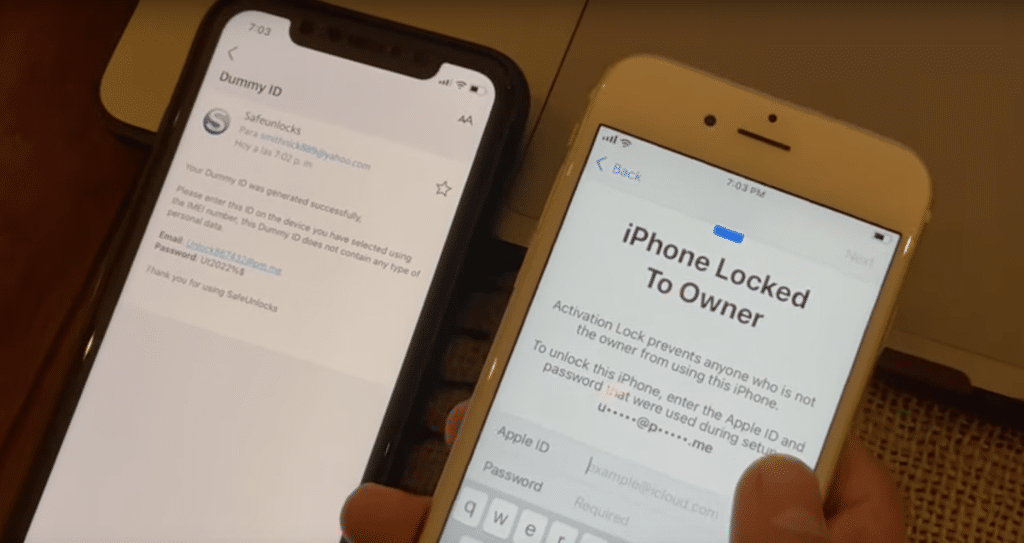
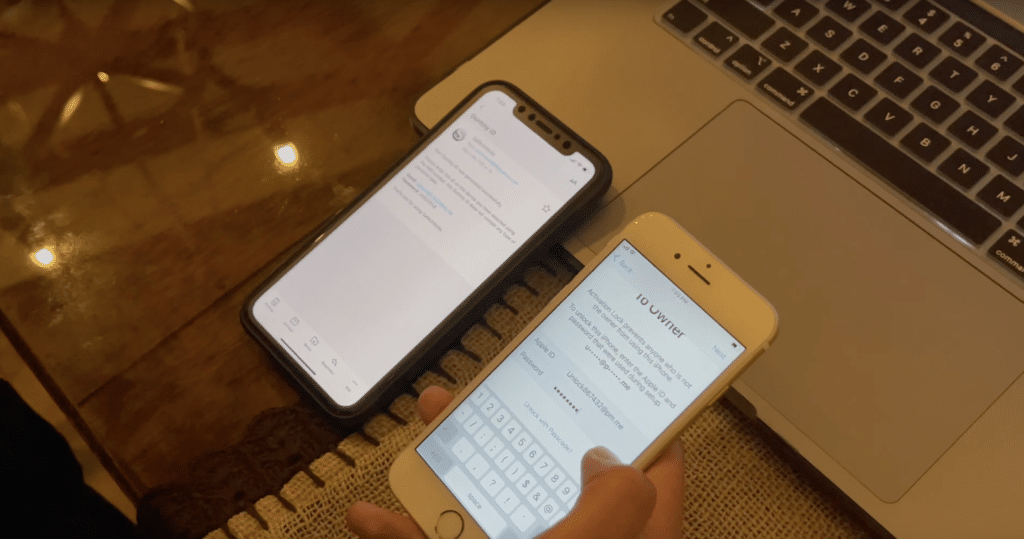
If everything is correct, you will receive a new email containing and apple id – password, this is known as Dummy ID. This is a temporary ID that will remove the previous owner’s icloud account safely. This ID does not contain private information and will unlock the device permanently
Remove iCloud easy
Enter your Dummy ID

Why using SafeUnlocks?

remove activation lock without previous owner

If you are reading this article, it is likely that you have a second hand iOS device. We are aware that it is hard to get the previous iCloud account, especially when you buy it online or that phone is so old you simply forgot the password. This is where SafeUnlocks comes handy as you will not need any technical knowledge or download any weird software from the internet.

SafeUnlocks is not a simple bypass activation lock tool, this tool will remove apple id from the device permanently. It will not affect the guarantee of the phone and will allow your to get apple support or repair in case you need it at the apple store.

Wheter you want to get rid of an iPhone activation lock, remove iCloud from an iPod touch or iPad, we got it all in one simply tool. Remember this is not a bypass iCloud activation lock tool, all our unlocks are permanent and will allow you to use the full potential of your device.

Works on all iOS devices

This method works on all iOS devices and will allow you to remove icloud activation lock from any model regarless of the year or iOS version. Removing the activation lock has never been easier.

Remove iCloud activation lock screen today
Remove activation lock
How to remove activation lock without previous owner 9

Get your unlock today, we have a huge success rate and all our customers are satisfied, so you will likely be one of them. In case if the device is not unlock after it has been submitted in less than 30 minutes contact us immediately as there might be some issues with the order. Send us a support request about the locked device and we will solve as soon as possible.

Onscreen instructions (Video) is available in order to remove iPhone activation lock screen or any other iOS device where you are to remove the activation lock. The steps are the same as previously described on this article and will help you remove icloud activation lock without any hassle.

How to compare iCloud Activation Lock

An iCloud lock stays on the device until the original Apple ID signs out or Apple removes the lock for a verified owner. For iCloud Activation Lock, screenshots of a shop “bypass” are not the same as a clean Activation Lock status in Settings.

the original operator or maker still controls the source record for this lock type. A comparison page cannot replace that desk. Use it to see which shops disclose the same limits the official policy already states in 2026.

Before you compare shops for iCloud Activation Lock, collect the 15-digit IMEI (dial *#06#), a photo of the exact lock screen, and proof you are allowed to request a change. The IMEI format helper at /random-imei-generator-online is only for checking digit layout. It does not create a live identity for a real phone.

This URL is a 2026 comparison article, not a checkout for SafeUnlocks labor. Partner forms, if present, belong to the services being compared. Keep receipts and policy pages from those parties, not from a brand claim that “we unlock” this handset.

Treat the body below as source material from the original guide, and treat this briefing as the portal layer. Together they should tell you whether iCloud Activation Lock is a SIM issue, an account lock, or a database flag before you leave the iCloud lock guides.

Mixing lock types is how people buy a carrier unlock for an iCloud screen. iCloud Activation Lock is labeled icloud so the related links stay in family. Leave the page if the device is showing a different lock.

Red flags when you compare iCloud Activation Lock listings in 2026: guaranteed success with no IMEI check, “one tap” claims, and copy that never names the lock type. Prefer shops that state refund rules, processing windows, and what happens if the official desk refuses the request.

Plan iCloud Activation Lock as a request with a queue, not a download. If the lock is icloud, the clock starts when the party that owns the record accepts the case, not when you paste an IMEI into a form.

Ownership and payoff sit above lock type. Confirm both before you compare prices for iCloud Activation Lock. A cheap quote on a financed or reported device is not a bargain; it is a mismatched offer.

You now have a 2026 briefing for iCloud Activation Lock: lock family, official desk, checks, and the red flags that show up in ads. Continue into the original guide below and the related iCloud lock guides when you want a sibling country or brand. Stay on the lock type you actually have.

Inbound links to /remove-activation-lock-without-previous-owner should describe iCloud Activation Lock, not a generic “click here.” This briefing exists so the visible copy on the URL is long enough and specific enough to stand without rewriting the imported HTML by hand.

If you landed on /remove-activation-lock-without-previous-owner from a country or brand that is not named in iCloud Activation Lock, you are probably in the wrong leaf. Use the hub links rather than forcing this title (“How to remove activation lock without previous owner”) to cover a different lock.

Elementor leftovers can start at H2. The portal heading and this copy are the on-page H1 layer for “How to remove activation lock without previous owner.” They do not change the imported screenshots or forms; they add the comparison context those layouts omitted.

SafeUnlocks will not invent a publish timestamp for /remove-activation-lock-without-previous-owner. Dates in schema come from WordPress listings, visible bylines, or the media folder year-month on images that already shipped with the page.

The slug remove-activation-lock-without-previous-owner is how this 2026 URL is stored in the site map. Humans should read the title “How to remove activation lock without previous owner” and the subject line iCloud Activation Lock. Search engines get the same lock label (iCloud Activation Lock) in the heading and in this briefing so the page is not a thin Elementor shell.

Inbound links to /remove-activation-lock-without-previous-owner should describe iCloud Activation Lock, not a generic “click here.” This briefing exists so the visible copy on the URL is long enough and specific enough to stand without rewriting the imported HTML by hand.